
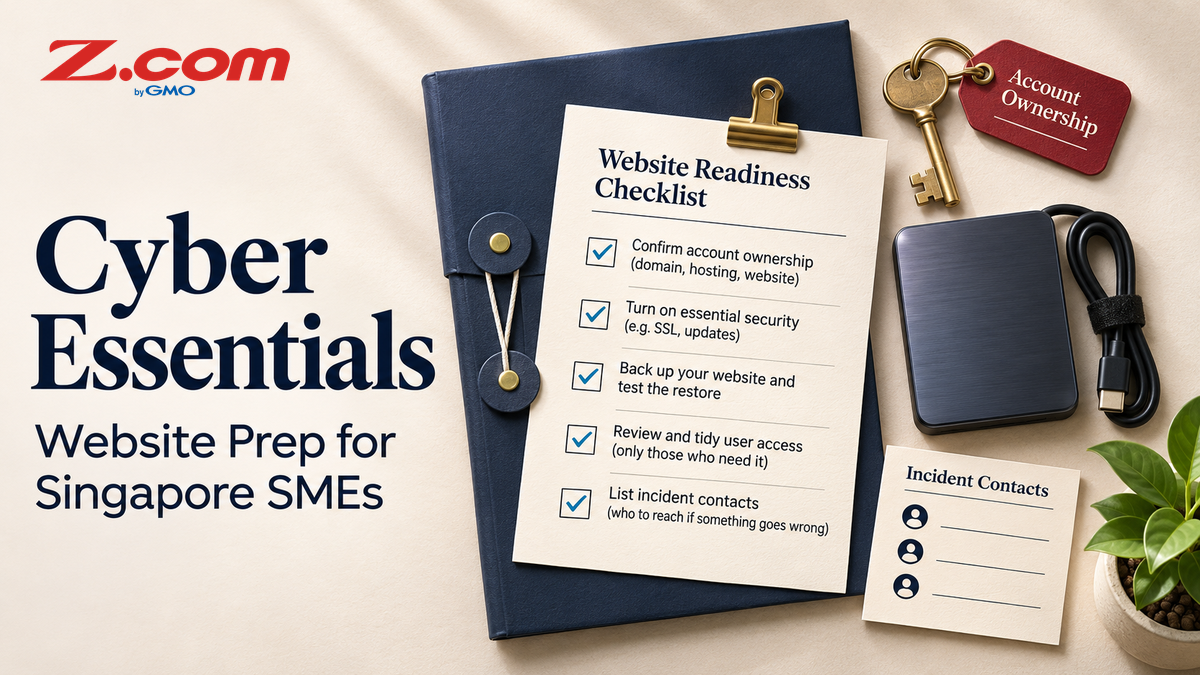
Cyber Essentials for Singapore SMEs: What Website Owners Can Prepare First
If you run a Singapore SME, you may have seen the Cyber Security Agency of Singapore (CSA) Cyber Essentials mark and wondered whether it applies to you, and where your website fits. This guide sets out what CSA says publicly, what to confirm before you apply, and the website groundwork you can finish before you talk to anyone about certification.
It is educational guidance, not legal, compliance or certification advice. CSA pages were reviewed on 4 November 2026, so check them again before you act.
Table of contents
- Quick answer
- What CSA says Cyber Essentials is
- What to confirm before applying
- Where your website fits
- Five areas to prepare, mapped to your website
- A one-week starting plan
- Where outside help fits
- Common mistakes to avoid
- Frequently asked questions
- Key takeaways
- Sources
- Review the hosting side of your website
Quick answer
Cyber Essentials is a CSA certification mark for organisations, awarded through certification bodies that CSA appoints. It is not a website setting or a plugin. Before you contact a certification body, tidy the website side: name an owner, list your accounts and software, tighten logins, test a backup restore, and write down who acts if the site is compromised.
What CSA says Cyber Essentials is
CSA describes Cyber Essentials as a mark that helps organisations put fundamental cybersecurity measures in place against common threats. In its comparison of the two marks, CSA positions Cyber Essentials for a small organisation establishing foundational measures, and Cyber Trust for a larger organisation taking a risk-based approach. The Cyber Essentials page itself says the mark is designed for businesses of all sizes.
The enhanced certifications cover classical IT security plus cloud security, operational technology (OT) security and AI security. For a typical SME website, the classical IT and cloud areas are likely to be the most relevant.
The assessment is not done by CSA directly. CSA says certification is carried out by certification bodies it has appointed. It lists 14 of them, and each is appointed for different scopes under the SS 712:2025 scheme, so check the scope table before you approach one.
What to confirm before applying
CSA's certification page for the Cyber Essentials mark states three points that shape your planning:
- the certification is valid for two years;
- assessment involves a desktop review and verification of your organisation's self-assessment by an independent assessor from a CSA-appointed certification body;
- certification charges and the time needed vary with the scope of certification.
The page gives no fee or timing figures, so this guide does not infer a renewal procedure or a fixed completion timeline. Do not rely on figures quoted by third-party websites. Ask your chosen certification body for the scope, cost, timeline and renewal terms in writing. The same CSA page links the official certification document and self-assessment template, which set out the measures you would be assessed against.
Where your website fits
CSA frames these marks as certifications for organisations, so your website is one asset among many: laptops, email, cloud apps, shared accounts and the people who use them. What counts as in scope for your business is something to confirm with a certification body, not to assume.
That is why website groundwork is still worthwhile. A site with unclear ownership, shared admin logins and untested backups is hard to describe to any assessor, and easy for an attacker to misuse.
Five areas to prepare, mapped to your website
CSA's toolkits for SME owners and IT teams are organised around five areas. The table maps each area to tasks a website owner can do now. These tasks are our suggestions based on common practice. They are not a list of Cyber Essentials requirements.
| CSA toolkit area | Website task to prepare | Evidence worth keeping |
|---|---|---|
| Cultivate cybersecurity leadership | Name one owner for the website, domain and DNS, plus a backup person. | A one-page owner and contacts list. |
| Educate employees | Brief everyone who edits the site or reads its mailbox on spotting phishing and where to report it. | A short briefing note with dates. |
| Protect information assets | List what the site collects (forms, orders, sign-ups), where it is stored and who can see it. Delete what you no longer need. | A simple data and systems inventory. |
| Secure access and environment | Give each person their own login, remove former staff and unused admin accounts, turn on multi-factor sign-in where offered, and update the CMS, themes and plugins. | An account list with a review date, and an update log. |
| Ensure the business is cyber resilient | Keep automated backups, restore one to a test copy, and decide who calls the host and developer if the site is compromised. | A restore test note and an incident contact sheet. |
If your forms collect personal data, also review guidance from the Personal Data Protection Commission on your own obligations.
A one-week starting plan
- Day 1: Inventory. List every website, domain and subdomain you own, and the hosting, DNS and email accounts behind them.
- Day 2: Owners. Assign an owner and a backup for each item, and record who holds the recovery email and phone number.
- Day 3: Access. Remove old users, replace shared logins with named accounts and enable multi-factor sign-in where available.
- Day 4: Updates. Update the CMS, themes and plugins after taking a backup, and remove anything you do not use.
- Day 5: Recovery. Restore a backup to a test copy, note how long it took, and write the incident contact sheet.
Where outside help fits
CSA runs a CISO as-a-Service programme with consultants it has onboarded. For Cyber Essentials, CSA says these consultants run a cyber health check against the measures, develop a tailored cybersecurity health plan, help close the gaps and prepare the organisation for at least Cyber Essentials certification.
CSA's page also mentions up to 70% co-funding support for eligible SMEs, with sign-up through IMDA's SMEs Go Digital platform. The page does not define who is eligible or give a funding cap, so confirm current terms before you budget. CSA also states that it does not endorse or recommend any provider, so compare consultants yourself.
Common mistakes to avoid
Treating a scanner or plugin as certification. No tool on your website certifies your organisation. Certification goes through a CSA-appointed certification body.
Implying a mark you do not hold. Do not display the mark or say you are certified until a certification body has certified you.
Assuming your host covers everything. A host secures its own platform, but your accounts, plugins, content and staff habits usually remain yours to manage.
Backing up but never restoring. A backup you have never restored is an untested assumption.
Frequently asked questions
Is Cyber Essentials compulsory for Singapore SMEs?
The CSA pages reviewed present it as a certification organisations can pursue, and say it can help organisations meet cybersecurity requirements or compliance obligations. They do not state that every business must hold it. If a customer, tender or sector rule asks for it, ask which version and scope they expect.
Does web hosting make my business Cyber Essentials certified?
No. Certification is awarded to an organisation through a CSA-appointed certification body. Hosting features can support good habits, such as backups and secure connections, but they do not replace the certification process.
How much does certification cost, and how long does it last?
CSA states that Cyber Essentials certification is valid for two years. It also says charges and certification time vary with the scope of certification, and it gives no figures. Ask a certification body for a written quote, timeline and renewal terms for your scope.
Where should a small team without IT staff start?
CSA describes its toolkit for SME owners as aimed at SMEs that may not have dedicated IT teams. Pair it with the one-week plan above.
Key takeaways
- Cyber Essentials is a CSA mark for organisations, not a website feature.
- Certification runs through CSA-appointed certification bodies, is valid for two years, and is assessed by desktop review of your self-assessment. Charges and certification time vary with scope.
- Website groundwork is clear ownership, tidy accounts, current software, tested backups and a written contact plan.
- Check CSA's current pages and your chosen certification body before you commit budget.
Sources
- CSA: Cybersecurity certification for organisations
- CSA: Cyber Essentials
- CSA: Certification for the Cyber Essentials mark
- CSA: How to get certified
- CSA: CISO as-a-Service to develop a cybersecurity health plan
- CSA: Cybersecurity toolkit for IT teams
Review the hosting side of your website
Once your owner list, access review and restore test are done, your hosting setup is the next thing to look at. If your site runs on WordPress, Z.com's WordPress Hosting page lists free SSL, a web application firewall, daily backups and a staging site among its features, which you can compare against the notes you have just made. Hosting features support good habits but do not replace a certification process.