
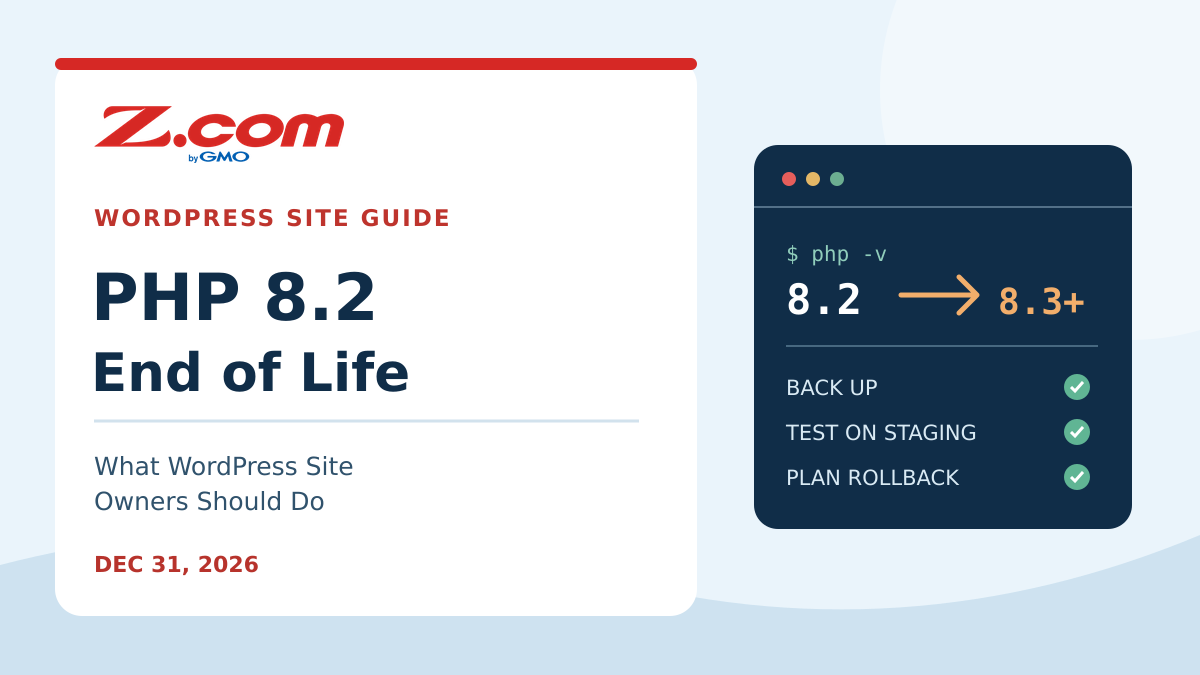
PHP 8.2 stops receiving security fixes from the PHP project on December 31, 2026, which is 41 days away as of November 20. If your WordPress site, or any PHP-based site, still runs on 8.2, you have a clear deadline and enough time to move without rushing. This guide gives you a calendar that works around the US holiday sales week, a way to pick the next PHP version, and a safe switch routine.
Table of contents
- Quick answer
- What exactly ends on December 31?
- What "end of security support" does and does not mean
- A six-week calendar that avoids the holiday sales week
- Which PHP version should you move to?
- How to check which PHP version your site uses
- How to switch PHP safely, step by step
- What to test after the switch
- Common mistakes to avoid
- Frequently asked questions
- Sources and dates checked
Quick answer
PHP 8.2 gets its last security support on December 31, 2026. Check your PHP version in WordPress Site Health, back up, test PHP 8.3 or newer on a staging copy, then switch the live site. Aim to finish by mid-December, before the holiday week, and keep a rollback plan.
What exactly ends on December 31?
The PHP project publishes a support table for each branch. A branch first gets "active support" (bug fixes and security fixes), then "security support" (security fixes only), then it reaches end of life. PHP 8.2 is already in the security-only stage, and that stage closes at the end of this year.
| PHP branch | Active support ended / ends | Security support ends |
|---|---|---|
| 8.2 | December 31, 2024 | December 31, 2026 |
| 8.3 | December 31, 2025 | December 31, 2027 |
| 8.4 | December 31, 2026 | December 31, 2028 |
| 8.5 | December 31, 2027 | December 31, 2029 |
Versions older than 8.2 are already past their end-of-life dates. PHP 8.0 ended on November 26, 2023, and PHP 8.1 ended on December 31, 2025. If your site still runs on either of those, treat the move as urgent rather than as a year-end task.
What "end of security support" does and does not mean
It does not mean your site stops working on January 1. PHP 8.2 will keep running exactly as it does today. What changes is that the PHP project stops releasing fixes for newly found security problems in that branch.
The PHP project's own wording on unsupported versions is that using them "may expose you to security vulnerabilities and bugs that have been fixed in more recent versions." That is a risk statement, not a prediction that a specific attack will happen to your site. The practical point is simple: a site that sits on an unsupported branch has no upstream safety net if a new flaw appears.
Some hosting providers may handle fixes for old branches in their own way. The sources checked for this article do not say whether any provider does, so ask your host directly instead of assuming. For a recent example of why this matters, see our guide to the October PHP security release, which covers checking whether your host has applied a fix.
A six-week calendar that avoids the holiday sales week
US store owners have a second deadline to plan around. Thanksgiving is on November 26, Black Friday is on November 27, and Cyber Monday is on November 30. Changing PHP in the middle of that stretch is a risk you can avoid. WordPress 7.2 is also due in early December: the WordPress core team's release schedule lists December 8, while the WordPress.org roadmap page projects December 10 for rough planning. Dates like this can move, so keep the two changes on different days and check the current date before you update core.
| Dates | What to do |
|---|---|
| Nov 20–24 | Check your PHP version, list your plugins and themes, and take a full backup. If you run a store, do your staging test now, before the sales week. |
| Nov 25–30 | Hold live changes if you sell online. Thanksgiving, Black Friday and Cyber Monday are not the week to learn that a checkout plugin dislikes a new PHP version. |
| Dec 1–7 | Switch the live site to the new PHP version once staging looked clean. Watch orders, forms and logins for a few days. |
| Dec 8–10 | WordPress 7.2 is planned for release (the core schedule says December 8; the roadmap page says December 10). Do not update WordPress core and PHP on the same day; see our staging guide for WordPress 7.2. |
| By Dec 18 | Finish any leftovers. This leaves a buffer before the last two weeks of the year, when many teams are away. |
| Dec 31 | PHP 8.2 security support ends. |
Which PHP version should you move to?
WordPress.org recommends that hosts support PHP 8.3 or newer. The WordPress core compatibility table (last updated November 4, 2026) marks PHP 8.2, 8.3, 8.4 and 8.5 as working with WordPress 7.0 and 7.1. WordPress 7.2 is not in that table yet, so check it again after release.
Those marks describe WordPress core only. Your theme and plugins decide whether a newer version is safe for your site. That is why the choice below is about security time, not just the highest number.
| Target | Security support until | When it fits |
|---|---|---|
| PHP 8.3 | Dec 31, 2027 | The minimum WordPress.org recommends. A reasonable choice if some of your plugins are old or rarely updated, but it gives you only one more year. |
| PHP 8.4 | Dec 31, 2028 | Gives about two years. Check plugin notes first, because PHP 8.4 deprecates things such as implicitly nullable parameter types, which older code may still use. |
| PHP 8.5 | Dec 31, 2029 | The longest runway. Best when your plugins are actively maintained and you can test thoroughly. |
A sensible rule is to move to the newest version that your staging test passes cleanly. If the newest version breaks something you cannot fix quickly, drop one step and retest. PHP 8.3 also lists deprecations in its migration notes, for example around increment and decrement operators on certain values, so the "newest passes" rule applies there too.
How to check which PHP version your site uses
- Log in to your WordPress dashboard.
- Go to Tools, then Site Health.
- Open the Info tab and expand the Server section.
- Read the PHP version line. WordPress.org says that if you are already on PHP 8.3 or newer, you do not need to update yet.
If the version shows 8.2 or lower, plan the move. If you cannot reach the dashboard, your hosting control panel or your host's support team can tell you which version is set for the account.
How to switch PHP safely, step by step
PHP is set on the server, not inside WordPress. You change it in your host's settings, or you ask your host to change it. The routine below follows the WordPress.org guidance on updating PHP, with a few additions for store owners.
- Back up the site. Include files and database. A backup is only useful if you can restore it, so note where it is stored and how long a restore takes.
- Update everything else first. In Dashboard, Updates, update WordPress, themes and plugins, then confirm the site still works on the current PHP version. This separates old problems from new ones.
- Check compatibility. On each plugin's and theme's WordPress.org page, look at when it was last updated, or ask the developer. If a plugin looks abandoned, look for a maintained alternative with similar features.
- Test on a staging copy. If your host offers staging, change PHP there first. Turn off live payments and customer emails on the copy so a test cannot charge or message real people.
- Switch the live site. Pick a quiet hour, change the PHP version, and test the pages in the next section right away.
- Keep the rollback ready. If something breaks, set PHP back to the old version (or ask your host to), and then restore the backup if needed. WordPress.org notes that reverting may require your host to move PHP back as well.
Do not skip the backup because the change "only touches PHP." A PHP change can expose old plugin code that ran quietly before. A restore point turns a stressful outage into a short detour.
What to test after the switch
This is a suggested checklist, not an official list. Adjust it to your own site.
- Home page, a few inner pages, and the page that earns you the most traffic.
- Admin login, and a test post saved as a draft.
- Contact forms and the email they send, including where the message lands.
- If you sell online: add to cart, a test checkout in a safe mode, and the order confirmation.
- The PHP error log, if your host gives you access. New warnings after the switch point to the plugin or theme that needs attention.
Common mistakes to avoid
- Waiting until December 30. Holiday staffing, slow support replies and sales traffic all make late changes riskier.
- Testing only the home page. Problems tend to appear in forms, checkout and admin screens, not on a static front page.
- Updating PHP and WordPress core on the same day. If something breaks, you will not know which change caused it.
- Assuming "the host handles it." Hosts differ in which versions they offer and who changes them. Confirm who is responsible for your account.
- Leaving a broken plugin in place. If a plugin fails on every newer PHP version, the real fix is replacing it, not staying on an unsupported branch.
Frequently asked questions
Will my site break on January 1 if I stay on PHP 8.2?
No. PHP 8.2 keeps running. The change is that the PHP project stops publishing security fixes for that branch, so new flaws would stay open.
Is PHP 8.3 enough, or should I go to 8.4 or 8.5?
PHP 8.3 meets the WordPress.org recommendation and gets security fixes through the end of 2027. PHP 8.4 and 8.5 give you more time, but you need to confirm that your plugins and theme work on them.
Does the WordPress compatibility table cover my plugins?
No. It covers WordPress core. Your plugins and theme have their own compatibility, so test them on a staging copy.
Can I update PHP without a staging site?
You can, but it is riskier. If you do, take a full backup, choose a low-traffic hour, and be ready to switch PHP back at once.
Where do I change the PHP version at Z.com?
Z.com US's supported-PHP article lists versions through PHP 8.2, while a separate hosting comparison page lists PHP 8.3. Neither confirms which PHP 8.3 or newer versions are available for the WordPress Hosting plan and environment discussed in this article. The WordPress Hosting plan comparison also has a "PHP Version Switch" row, but it does not show which plans include it. Get plan-specific confirmation from Z.com support before you schedule your switch.
Sources and dates checked
- PHP project, Supported Versions: support dates for PHP 8.2 to 8.5 (checked November 19, 2026; the page showed "Today: 18 Nov 2026").
- PHP project, Unsupported Branches: end-of-life dates for PHP 8.0 and 8.1 and the warning about older versions (checked November 19, 2026).
- WordPress.org, Requirements: recommendation for PHP 8.3 or newer (checked November 19, 2026).
- WordPress.org, Updating PHP: Site Health path and the backup, compatibility, staging and rollback guidance (checked November 19, 2026).
- WordPress Core handbook, PHP compatibility and WordPress versions: table last updated November 4, 2026 (checked November 19, 2026).
- PHP manual migration notes for 8.3 and 8.4 deprecations (checked November 19, 2026).
- WordPress.org, WordPress 7.1.5 release post (November 18, 2026): cited for a planned December 8 date for WordPress 7.2 (not rechecked on November 20, 2026).
- WordPress Core team, WordPress 7.2 development cycle: final release scheduled for December 8, 2026 (checked November 20, 2026).
- WordPress.org, Roadmap: WordPress 7.2 projected for December 10, 2026, described as for rough planning purposes only (checked November 20, 2026).
- Z.com US, What versions of PHP are currently supported?: lists PHP versions through 8.2 and names no plan (checked November 20, 2026).
- Z.com US, Hosting comparison: lists PHP 8.3 in its Web Hosting plan tables and has no WordPress Hosting PHP row (checked November 20, 2026).
- Calendar dates for Thanksgiving, Black Friday and Cyber Monday are calculated from the US calendar, not taken from a retail source.
Dates and support windows can change, so confirm them on php.net before you act.
A staging site and recent backups are what make a PHP change low-stress, and they are the first things to check on any host. Z.com's WordPress Hosting page states that all plans include a staging site and lists free automated backups and a free SSL certificate. It does not say which PHP versions you can select, so ask Z.com support to confirm in writing that your plan and environment can run PHP 8.3 or newer before you schedule your switch.