

10 Hidden cPanel Features Every Small Business Should Know
In This Article:
- Uncover cPanel tools you're already paying for
- Learn what each tool does for your business
- Know exactly which feature to try first
If your hosting plan came with cPanel, there's a good chance you've only opened a handful of its icons. That's completely normal. Most small business owners log in once to set up email or install WordPress, then never look around again. The problem is that cPanel is packed with tools that can save you money, protect your work, and make your website easier to manage, and most of them are hiding in plain sight. This guide walks through ten practical cPanel features, explained in plain language, with real examples for online sellers, freelancers, and first-time website owners in the Philippines. You don't need to become a technical expert to use them. You just need to know they exist and what they can do for your business.
cPanel manages most of a website from one screen, which is why it can feel busy the first time you log in. Most owners settle on one or two familiar icons and stop exploring, which works fine at first. As your business grows, the tools you skipped over often replace tasks you assumed needed a developer or paid app. A good starting point is noticing where you lose time or rely on a workaround, then matching that to a tool below.
Key takeaway: You don't need to master all of cPanel at once. Learning even two or three of these tools can save hours of manual work every month.
Top 3 Features to Try First
- Email Accounts — look more professional in one afternoon.
- Softaculous — launch a working site without hiring a developer.
- Backup Wizard — protect your work before your next update.
Table of contents
Look Professional and Build Trust
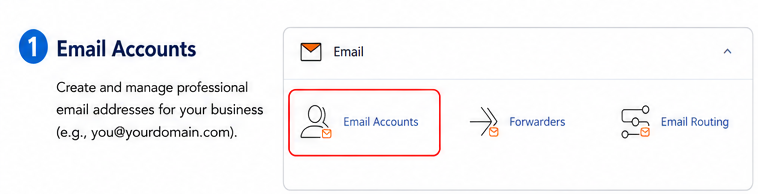 Create a professional business email
Many Filipino online sellers start out taking orders through a personal Gmail account or Facebook Messenger. It works, but it can make a growing business look smaller than it is. Email Accounts lets you create an address matching your domain, like orders@yourshop.ph, in a few clicks, a small change customers notice before paying through GCash or bank transfer.
Who should use it: Sellers moving beyond Facebook and Shopee into their own website.
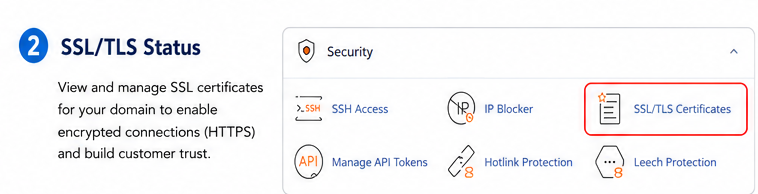 Build customer trust with the padlock icon
Customers look for the small padlock next to a website address before entering payment details. SSL/TLS Manager lets you check that your site's security certificate is active, without needing to understand encryption. Most modern hosting plans keep this running automatically in the background.
Who should use it: Any business that collects payments, forms, or customer information.
Launch and Manage Your Site With Ease
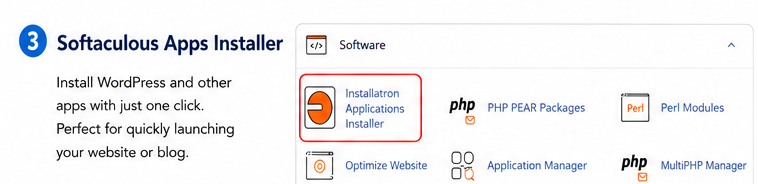 Install WordPress in minutes
Softaculous is a one-click installer that sets up WordPress and common plugins without touching a line of code. A home-based baker, a Davao-based consultant, or a Cebu freelancer can go from "I need a website" to "my website is live" in one sitting.
Who should use it: First-time owners who want a working site fast, without hiring a developer.
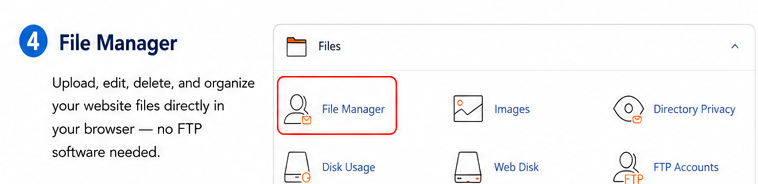 Edit files without extra software
Updating an image, fixing a typo, or uploading a document shouldn't require an FTP program. File Manager gives you the same access inside your browser, useful for quick fixes while managing your site from home between orders or client calls.
Who should use it: Owners who make small updates themselves and want a simple way to do it.
Protect Your Work and Save Time
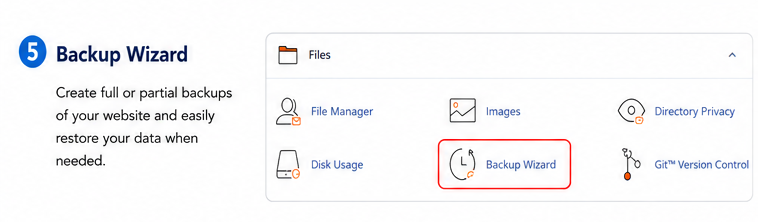 Restore your website quickly
Every owner eventually makes a change they wish they could undo, like a plugin update that broke a page. Backup Wizard creates a copy of your site so you can restore it if something goes wrong, an insurance policy for the hours you've already invested.
Who should use it: Anyone who updates their own site, especially before a redesign or new plugin.
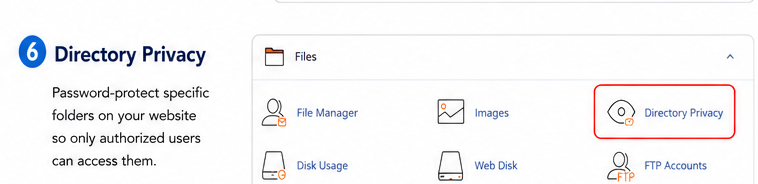 Share private files securely
Need to share pricing sheets, draft designs, or supplier catalogs without making them public? Password Protected Directories lock a folder behind a simple login, a practical alternative to emailing large attachments or relying on public links.
Who should use it: Consultants, agencies, and service providers who share private documents regularly.
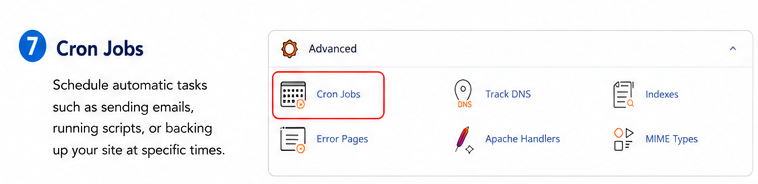 Automate repetitive tasks
Cron Jobs run tasks on a schedule, like a routine backup, without you remembering to do it manually. This one is more technical, so it's best explored once you're comfortable with the basics or with support from your hosting provider.
Who should use it: Growing businesses with recurring maintenance tasks they'd rather not do by hand.
Connect Services and Understand Your Visitors
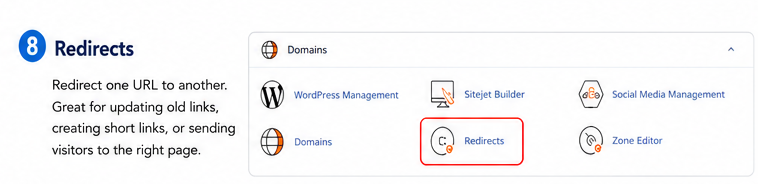 Send visitors to the right page
Business names change and product pages get renamed, but an old link can keep circulating in a Facebook group long after your site updates. Redirects automatically send visitors from an old link to the new page, so you don't lose customers or search ranking to a broken page.
Who should use it: Any business that has renamed a page, rebranded, or restructured its site.
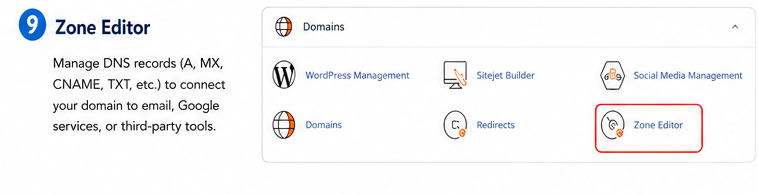 Connect external services to your domain
As your business grows, you may want to connect your domain to outside tools, like a booking system or a third-party email provider. The DNS Zone Editor is where those connections happen, using simple records that tell the internet where to send traffic for your domain.
Who should use it: Businesses connecting their website to additional tools beyond hosting.
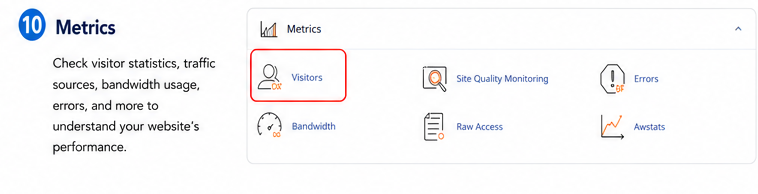 Understand your website traffic
Before paying for a separate analytics tool, check what cPanel already tracks. Metrics shows how many visitors your site gets and which pages they view, giving home-based entrepreneurs an early read on what's working.
Who should use it: Owners who want a basic view of traffic before adding more tools.
Good to know: Every business uses a different combination of these tools. Start with whichever solves today's problem, then explore the rest as you grow. For step-by-step guides, visit the Support Center.
Which Feature Solves Which Problem
Use this quick reference to match a business need with the right built-in tool before deciding what to explore first.
| cPanel Feature | Business Benefit | Best For |
|---|---|---|
| Email Accounts | Look professional to customers | Online sellers and service businesses |
| Softaculous | Launch a website quickly | First-time website owners |
| Backup Wizard | Recover from mistakes fast | Anyone updating their site themselves |
| SSL/TLS Manager | Build checkout confidence | Businesses accepting online payments |
| Redirects | Keep traffic after changes | Rebranding or restructuring sites |
| DNS Zone Editor | Connect outside tools | Growing, multi-tool businesses |
| File Manager | Fix issues without extra software | Owners updating their own site |
| Password Protected Directories | Share files without exposing them | Consultants and agencies |
| Cron Jobs | Automate routine maintenance | Growing businesses with recurring tasks |
| Metrics & Visitor Statistics | See what's working for free | Owners checking traffic before upgrading tools |
You can find a link to Z.com Web Hosting plans below if you'd like to see which plans include these tools by default.
Which cPanel Feature Should You Try First?
Answer three quick questions to find your best starting point.
1. Do you already have a website?
Start With Softaculous
Since you're starting from scratch, the Softaculous installer is your fastest path to a live website. Once it's running, you can explore email and backups next.
Build Your WebsiteStart With Business Email
A professional email address is one of the fastest ways to build trust with new customers, and it takes only a few minutes to set up in cPanel.
Get Started TodayExplore Backup & Security Tools
Since you manage your site yourself, the Backup Wizard and SSL/TLS Manager will give you the most peace of mind as you keep making updates.
View Hosting PlansYou don't need to adopt all ten features this week. Pick the one tool that solves today's problem, whether that's looking more credible to customers, protecting your work before a big change, or connecting a new service to your domain. Many home-based entrepreneurs and Facebook-first sellers in the Philippines are already paying for hosting that includes these tools, so exploring them costs nothing extra. If email is next, compare options through Unlimited Email Hosting; if you're just starting out, the AI Website Builder gets a site live first.
Frequently Asked Questions
What is cPanel?
cPanel is a web-based control panel that comes with many hosting plans. It gives you one place to manage website files, email accounts, security settings, backups, and more, without needing to use complicated server commands. Instead of contacting support for every small task, you can handle common website management jobs yourself through a simple visual dashboard.
Is cPanel difficult to use?
cPanel can look busy the first time you open it, since it displays many icons at once. In practice, most business owners only need a handful of these tools regularly, such as email and file management. Once you know where to find those few features, the rest of the dashboard becomes far less intimidating, and you can explore additional tools at your own pace.
Can beginners use cPanel?
Yes. Many of the most useful tools, like Softaculous for installing WordPress or the Email Accounts feature, are designed with simple, guided steps rather than technical commands. Beginners are encouraged to start with one feature that solves an immediate need, get comfortable with it, and gradually explore other sections as their website and business grow.
Does every hosting plan include cPanel?
Not always. Some hosting providers use their own custom control panels instead of cPanel. If having cPanel access matters to you, it's worth checking a plan's feature list before signing up, or asking your provider's support team directly to confirm which control panel is included with your specific hosting plan.
Which cPanel feature should I use first?
It depends on your current priority. If you don't have a website yet, start with Softaculous to get one live quickly. If you already have a site, a professional email address is usually the fastest way to build customer trust. The quiz above this section can help you decide based on where your business is right now.
Most small businesses only scratch the surface of what cPanel can do, not because the tools aren't useful, but because they simply haven't been introduced yet. From professional email to automatic backups and simple redirects, these features save time, protect your work, and help your website grow with your business. You don't need special training to get started. Pick one feature that matches a challenge you're facing today, try it, and let your confidence build from there as you go.
Build a faster, more professional, and more secure website.
Start exploring these built-in tools with a Z.com Web Hosting plan today.
View Hosting Plans