
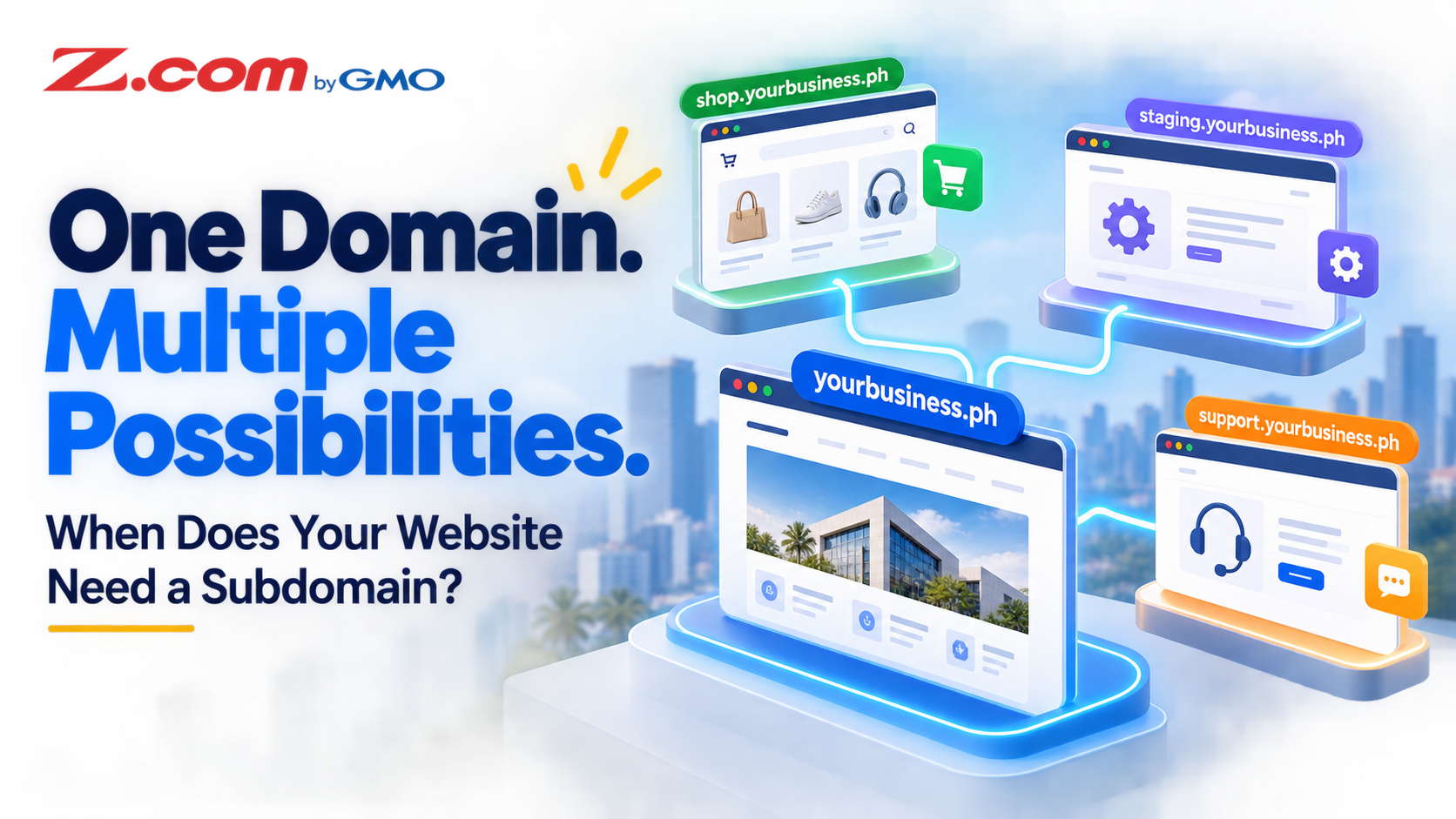
Setting Up a Subdomain: When Your Philippine Business Website Actually Needs One
A subdomain is a prefix added before your main domain — like shop.yourbusiness.com or blog.yourbusiness.com. Philippine businesses use them to run separate sections of their website without registering a new domain.
A subdomain (e.g., store.yourbusiness.com) is a separate section of your website that lives under your existing domain at no extra registration cost. Philippine businesses use them for online stores, staging sites, client portals, and multilingual content. For a blog or simple content section, a subfolder (yourbusiness.com/blog) is usually simpler to manage — use a subdomain only when you need a separate application or environment. Google can index and rank both structures.
Table of contents
What Is a Subdomain?
Your domain name — say yourbusiness.com — is what people type to reach your website. A subdomain adds a prefix to that address. Common examples:
- shop.yourbusiness.com — a separate online store
- staging.yourbusiness.com — a private test environment
- support.yourbusiness.com — a client helpdesk
Technically, a subdomain is a distinct entry in the Domain Name System (DNS) that can point to a different folder on your server, a separate WordPress install, or even a third-party service entirely. From a browser's perspective, it is a different address. From a hosting perspective, it is still under your existing plan.
One point that surprises many Philippine website owners: creating a subdomain does not require registering a new domain. If you already own yourbusiness.com and have web hosting, you can add subdomains at no additional registration cost — typically within your hosting account's cPanel.
5 Situations Where a Subdomain Makes Sense
1. You Are Running a Genuinely Separate Online Store
Some Philippine businesses keep their company profile site clean and professional while running a fully featured WooCommerce store on a separate subdomain. Because shop.yourbusiness.com has its own document root, it can use a completely different WordPress theme, plugin set, and database — with no risk of a store plugin conflicting with your main site.
2. You Need a Staging Environment Before a Major Update
Before updating your WordPress theme, rebuilding your homepage, or switching hosting providers, a staging subdomain (staging.yourbusiness.com or dev.yourbusiness.com) lets you test everything without your live visitors seeing broken pages. This is standard practice before any major WordPress overhaul. After testing, you migrate the staged version to live — no guesswork.
3. You Are Offering a Separate Client Portal or Login Area
If your business provides a membership area, booking system, or support ticketing tool, housing it at portal.yourbusiness.com or members.yourbusiness.com keeps the experience clean and distinct. It is also easier to manage SSL certificates, access controls, and software updates for a service that needs its own configuration.
4. You Need a Multilingual Version of Your Site
Philippine businesses serving both English and Filipino (or a regional language) audiences sometimes use a subdomain to host a localized version of their site — for example, fil.yourbusiness.com for a fully translated experience. Each version can be managed and updated independently without language-plugin complexity inside a single WordPress install. Link language versions with hreflang annotations and give each page a self-referencing canonical URL; a subfolder such as /fil/ works the same way.
5. You Are Running a Short-Term Campaign or Event Page
A product launch, a seasonal promotion, or a webinar registration page that you plan to retire afterward can be a reasonable subdomain candidate. The promotional content stays separate from your main URL structure, and when the campaign ends, you simply delete the subdomain cleanly — leaving your main site untouched.

Subdomain vs. Subfolder: Which Should You Use?
This is the decision most Philippine site owners get wrong. A subfolder (yourbusiness.com/blog) and a subdomain (blog.yourbusiness.com) can both house content under your brand — but they differ in site architecture, maintenance and setup. Google can crawl, index and rank both.
| Feature | Subfolder (/blog) | Subdomain (blog.) |
|---|---|---|
| SEO considerations | Can rank well; depends on content quality, internal linking and technical SEO | Can rank well; needs its own internal linking, sitemap and monitoring |
| Setup complexity | Simpler — same WordPress install | Slightly more technical; separate install |
| Best for | Blogs, FAQs, resource libraries | Separate apps, staging, portals, tools |
| SSL certificate | Covered by the main domain's certificate | Needs certificate coverage (own, SAN, wildcard or AutoSSL where supported) |
| WordPress setup | Same install or Multisite | Separate installation usually recommended |
The practical rule: if the content is closely related to your main site and you want simpler organization and maintenance, a subfolder is usually the better fit. If you are running a genuinely different application, a test environment, or a service that needs its own software configuration, use a subdomain.
Many Philippine small businesses default to subdomains for blogs thinking it looks more professional. Search engines can index and rank either structure, so results depend on content quality, internal linking, technical SEO and ongoing maintenance. For a blog, yourbusiness.com/blog is usually easier to keep consistent with your main site.
Quick Decision Checklist
Choose a subdomain if most apply; otherwise use a subfolder:
- It runs separate software, such as a store or portal.
- It needs its own theme, plugins or database.
- You can maintain its DNS, certificate and updates.
How to Set Up a Subdomain in cPanel
Z.com Philippines lists cPanel on its paid web hosting plans. Menu names vary by cPanel version, and DNS or certificates may need extra configuration:
- Log in to your cPanel account through your Z.com client area.
- Open the Domains section. On current cPanel versions, click Create A New Domain and enter the full subdomain, for example shop.yourbusiness.com. Older cPanel versions use Domains → Subdomains instead: type the prefix and select your main domain.
- Set the document root, the server folder for the subdomain's files. If a Share document root option appears, untick it, then accept or edit the suggested folder (for example public_html/shop).
- Save with Submit (or Create in the older interface).
- Check DNS. If your domain uses your hosting account's nameservers, cPanel usually adds the DNS record. If DNS is managed elsewhere (the authoritative DNS provider), add an A record to your server's IP address there, or a CNAME if pointing to another hostname.
- Verify HTTPS. Once the name resolves, open https://shop.yourbusiness.com and confirm there is no certificate warning.
The folder is created right away, but DNS changes may take time to propagate because resolvers cache records for the TTL (time to live). Expect minutes to several hours.
To install WordPress, use an auto-installer such as Softaculous if your cPanel includes one (availability depends on your plan), choosing the subdomain as the installation URL. Otherwise, upload WordPress manually to its document root.
If you use WP Squared or another managed WordPress product: subdomain management may differ from cPanel. Follow that product's documentation or ask Z.com support; the steps above apply to cPanel.
Important — HTTPS after setup: certificate availability depends on your hosting provider and plan. A single-domain certificate for yourbusiness.com does not cover shop.yourbusiness.com. A SAN certificate covers only the names listed on it, and a wildcard certificate (*.yourbusiness.com) covers first-level subdomains. Where AutoSSL is supported, cPanel can issue certificates for new subdomains; check SSL/TLS Status. Z.com Philippines states that SSL is included with active hosting, so confirm how it applies to subdomains on your plan. Without valid HTTPS, visitors see a browser security warning.
Quick Troubleshooting
- Subdomain does not resolve: confirm the DNS record exists with the provider controlling your nameservers, then allow for TTL.
- Wrong page, 403 or 404 error: check the document root points to the folder holding your files, including an index file.
- HTTPS warning: the certificate probably does not cover the subdomain. Run AutoSSL if supported, or install a SAN or wildcard certificate.
Common Mistakes to Avoid
Using a subdomain when you only need a page. Adding a blog or FAQ section? A subfolder (yourbusiness.com/blog) is simpler to set up and maintain, shares your main site's structure, and is covered by your main domain's certificate. Reserve subdomains for applications that genuinely need their own configuration.
Forgetting SSL on the new subdomain. Depending on your plan, your certificate may cover only your primary domain, and a subdomain without valid HTTPS triggers browser warnings. After creating one, confirm certificate coverage (AutoSSL where supported, or a SAN or wildcard certificate) and test it over HTTPS.
Leaving staging subdomains publicly accessible. A staging or dev subdomain should be password-protected (via cPanel's Directory Privacy tool) so search engines cannot index it and competitors cannot view your work in progress. An unprotected staging site can also be flagged as duplicate content.
Creating subdomains you never use. Every subdomain is an entry point to your hosting account. Abandoned subdomains with outdated WordPress installs are a common attack vector. Delete any subdomain — and its document root — as soon as it is no longer needed.
Key Takeaways
- A subdomain (prefix.yourdomain.com) is an extension of your existing domain, with no separate domain registration, that can host a fully separate website or application.
- Use subdomains for staging environments, separate stores or portals, multilingual sites, and distinct tools that need their own software setup.
- Use subfolders (yourdomain.com/section) for blogs, resource libraries, and content closely related to your main site that is simpler to manage under one structure.
- Creating a subdomain in cPanel is quick, but DNS changes can take time, so verify DNS and HTTPS after setup.
- Remove subdomains you no longer use. Outdated installations are a security risk.
Frequently Asked Questions
Does creating a subdomain cost extra?
No separate domain registration is needed if you own the main domain and have an active hosting plan, though your plan's terms apply. Certificate coverage depends on your plan; where AutoSSL is supported it may be issued automatically, otherwise you may need a separate or wildcard certificate.
How many subdomains can I create?
This depends on your hosting plan. Z.com's public hosting page does not state a limit, so check your plan's specifications or ask Z.com support.
Will a subdomain hurt my SEO?
Not by itself. Google can crawl, index and rank both structures. What matters is content quality, internal linking, technical SEO and maintenance. A subdomain may need its own sitemap, analytics and Search Console setup, so a subfolder is often easier for a simple blog.
Can I point a subdomain to a third-party service?
Yes. Add a CNAME DNS record for the subdomain pointing to an external platform, such as a booking system or support tool. Add it with your authoritative DNS provider and follow the platform's instructions. The subdomain carries your brand while the service runs on third-party infrastructure.
Do I need a new SSL certificate for every subdomain?
A single-domain certificate covers only the names it lists, usually the root domain and sometimes www. A SAN certificate covers a defined list of names, and a wildcard certificate covers all first-level subdomains. Your options are AutoSSL where supported, a certificate per subdomain, or a wildcard SSL certificate that covers every subdomain at once. Included options depend on your hosting provider and plan.
Ready to expand your Philippine business website? Z.com Web Hosting plans list cPanel, include SSL with active hosting, and come with support from Z.com's Philippines-based team.
Explore Z.com Web Hosting Plans