Example :
How to set up an email or change my account settings.
- Help Center
- Domain
- Secure my domains with WHOIS Privacy Protection
- How to Enable or Disable my domain WHOIS Privacy (ID Protection)
How to Enable or Disable my domain WHOIS Privacy (ID Protection)
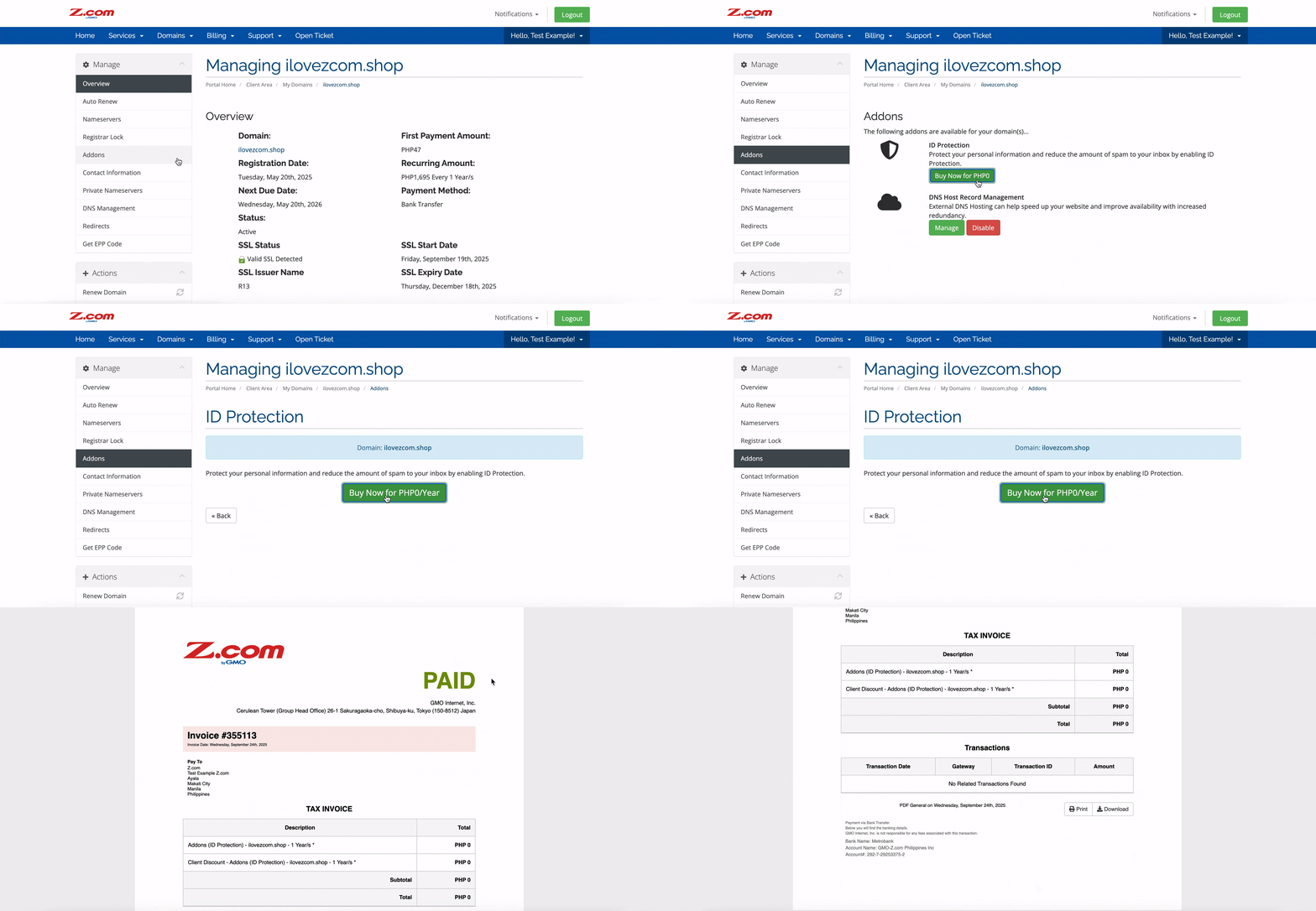
When registering a domain with Z.com, our free WHOIS privacy service helps protect your personal contact information. Instead of displaying your details publicly, it replaces them with our registry or anonymised/redacted information, keeping your privacy secure.
This guide explains what WHOIS privacy protection means.
You can turn WHOIS privacy protection on or off for any active domain, including domains in their grace status, directly through your Z.com Client Area. This gives you complete control over what contact information is displayed publicly for your domain at any time.
Note: Some domain extensions (such as .ph or .asia) do not support WHOIS privacy, so your information may always be visible for those TLDs.
1. Go to our Sign-in page.
2. Enter your Email Address and Password, and proceed to log in.
3. On the left side of the top navigation bar, click on the Domains drop-down menu and click My Domains or DOMAINS directly.
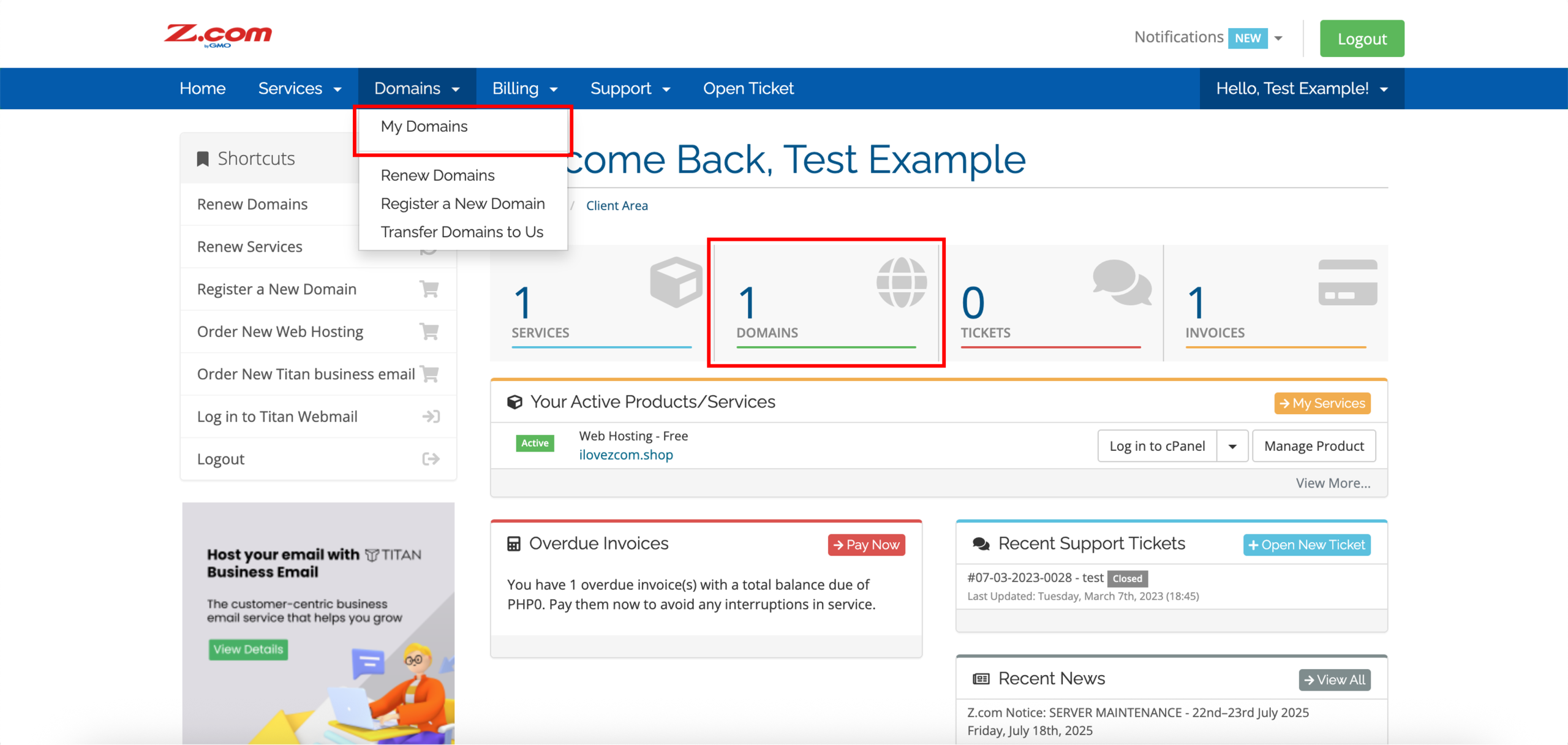
4. Click on the settings icon on the right side of your domain.
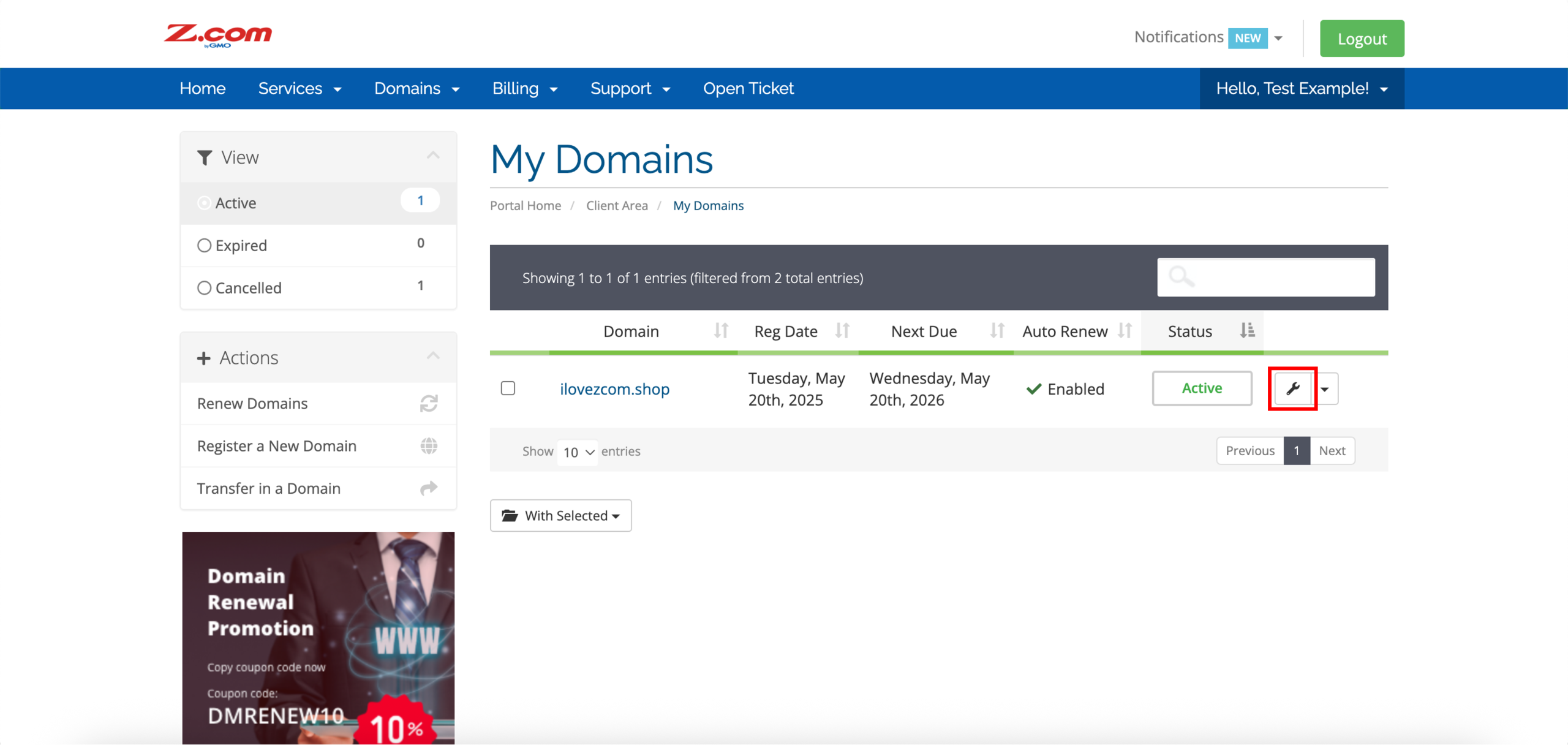
5. Click Addons on the left side under Manage.
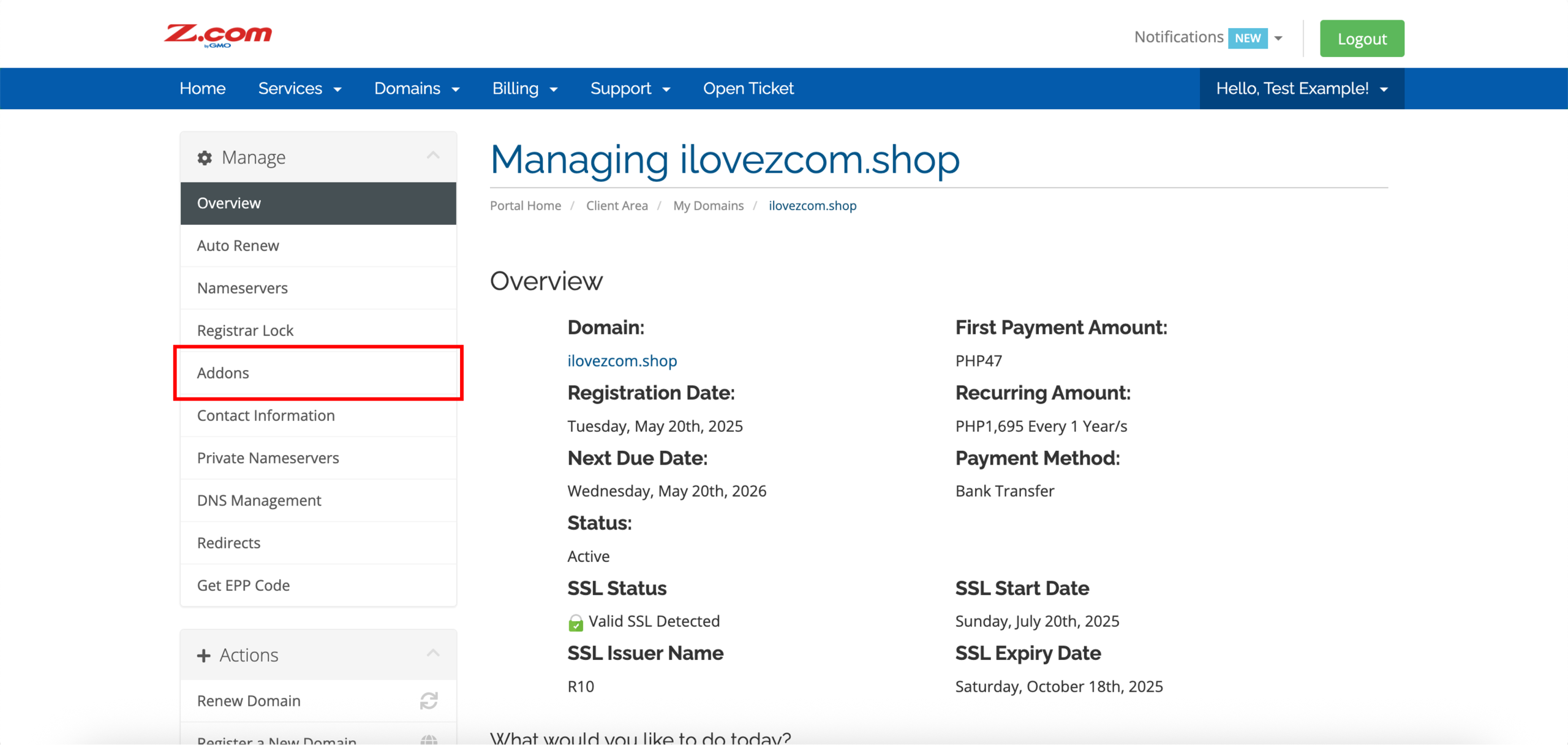
6. By default, the ID protection for your domain is enabled upon successful registration and activation. In this case, click Disable to turn off ID protection for your domain.
When WHOIS privacy is enabled, your personal information is protected and not visible online. When you turn off WHOIS privacy, your protection is removed, and your contact details will become publicly visible in any WHOIS lookup.
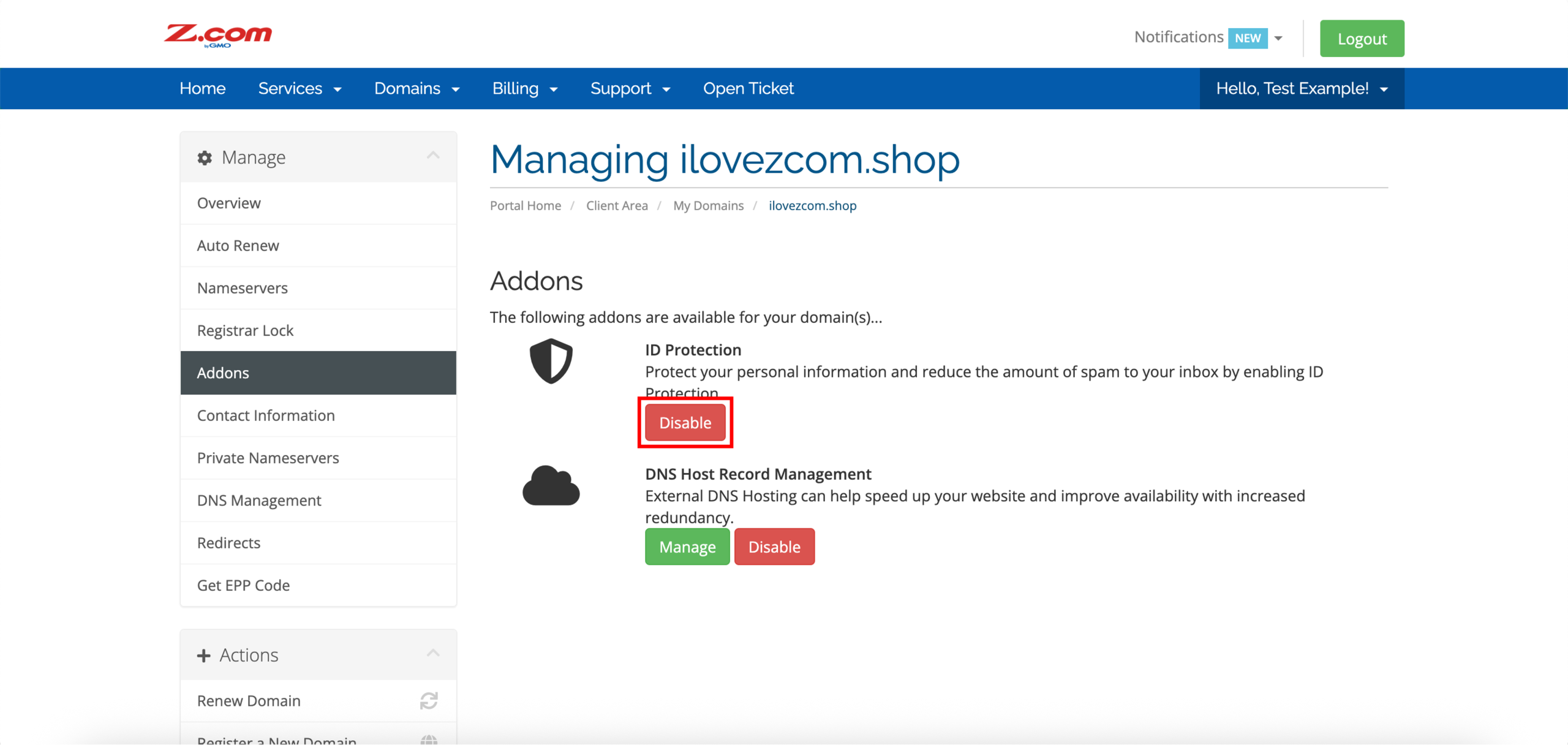
7. Click Confirm Cancellation.
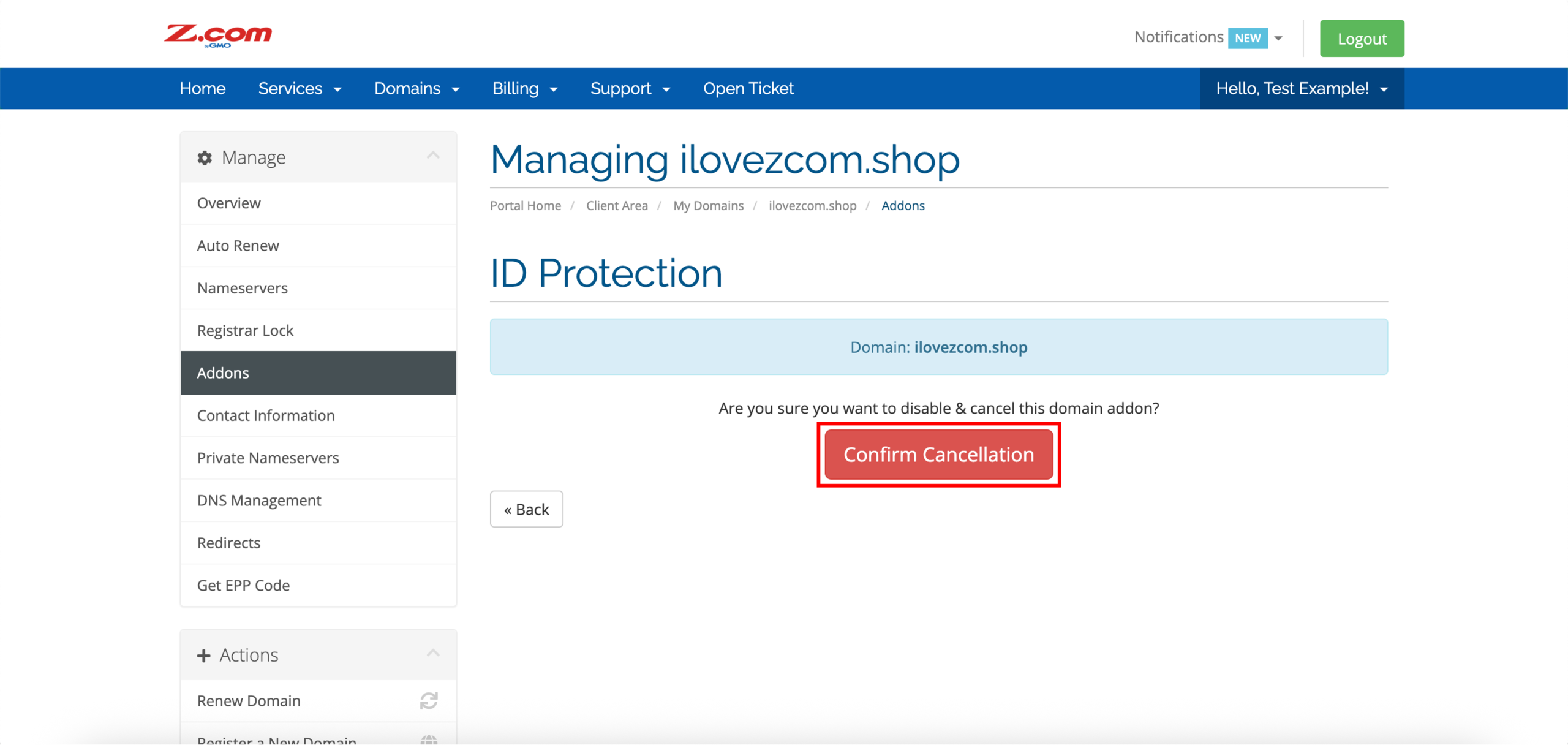

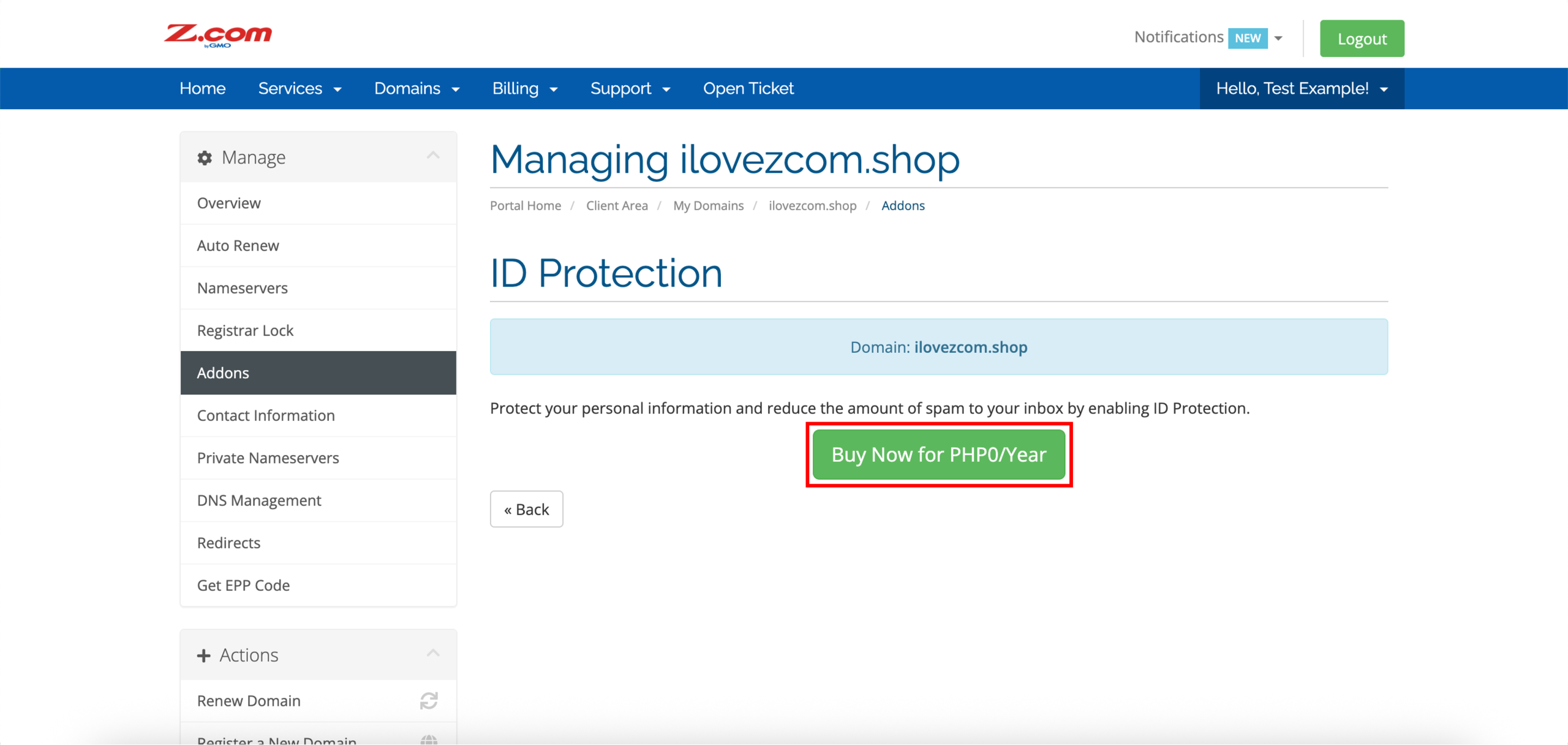
8. Similarly, click Buy Now for PHP0 (enable) to turn on ID protection for your domain.
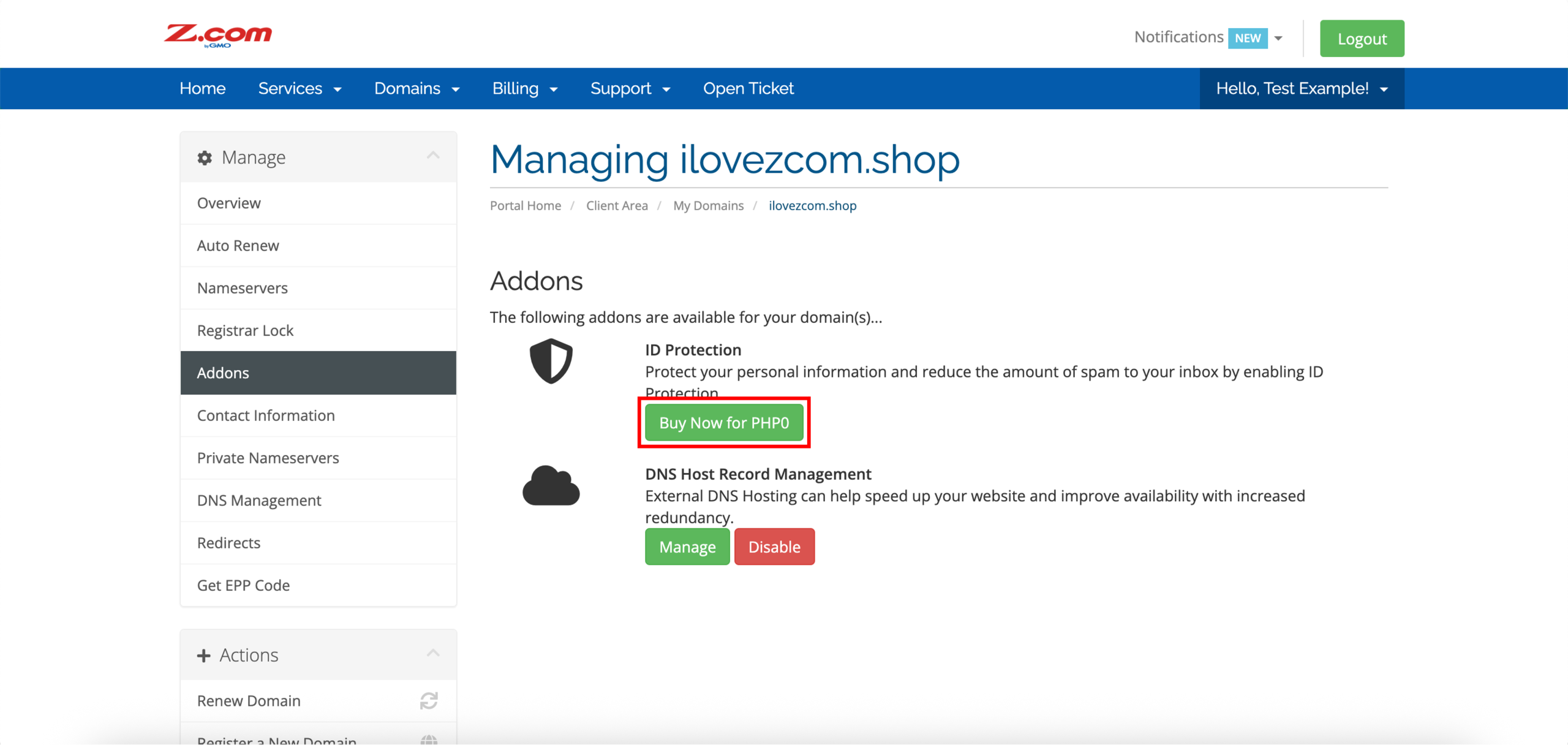
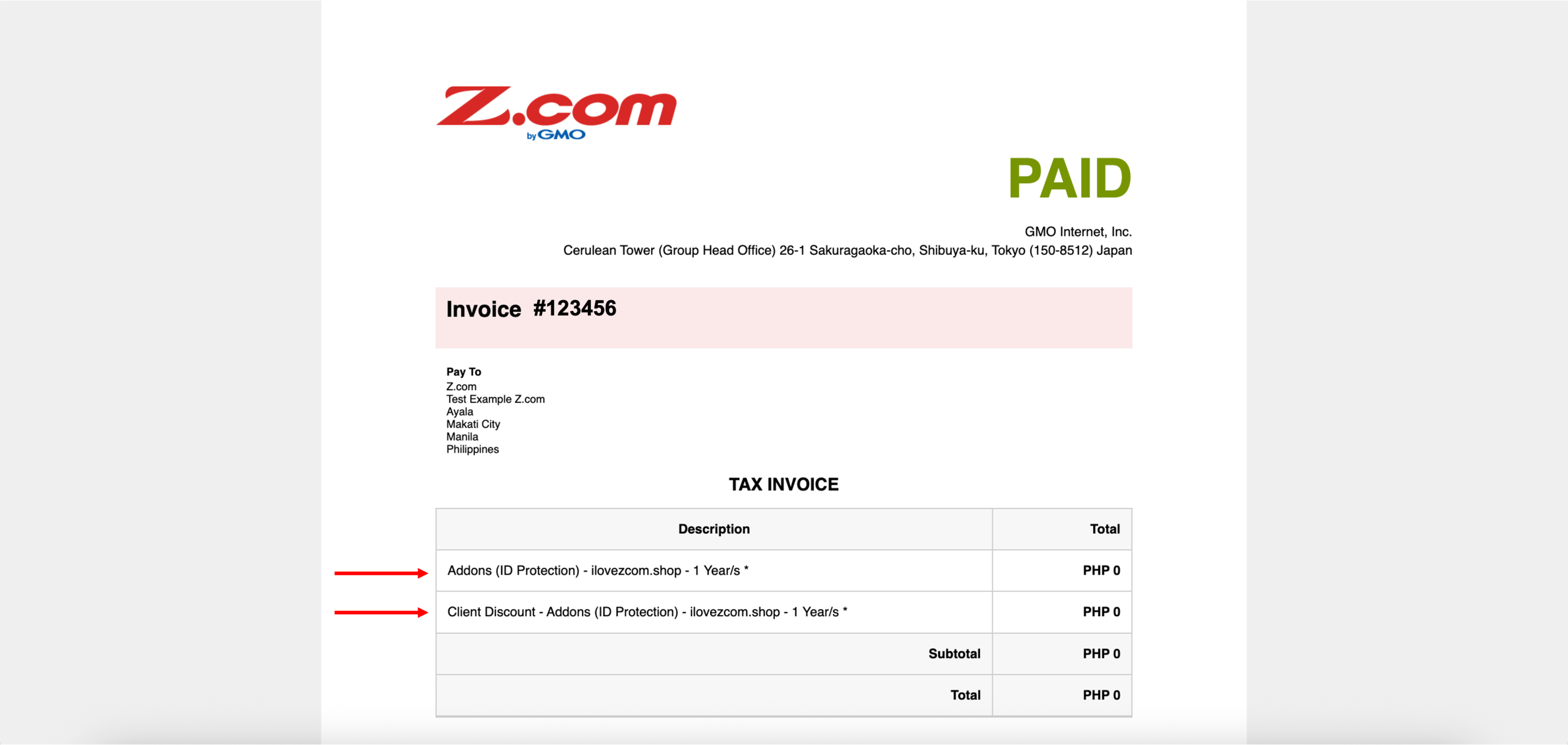
9. Confirm again by clicking Buy Now for PHP0/Year. Upon confirmation, you should be redirected to a PAID (PHP 0, free) invoice. This means that WHOIS privacy has been enabled.