Example :
How to set up an email or change my account settings.
- Help Center
- Domain
- Renew my domains
- Turn On/Off Auto-Renew
Turn On/Off Auto-Renew

When you register a domain with Z.com, auto-renewal is enabled by default. This ensures your domain remains active by automatically generating a renewal invoice before expiration, so you do not risk losing it.
If you have previously disabled auto-renewal, you can easily turn it back on anytime through your Z.com Client Area.
Note: When auto-renewal is turned off, renewal invoices are not automatically created. If needed, you can manually request a renewal invoice by following this guide.
1. Go to our Sign-in page.
2. Enter your Email Address and Password, and proceed to log in.
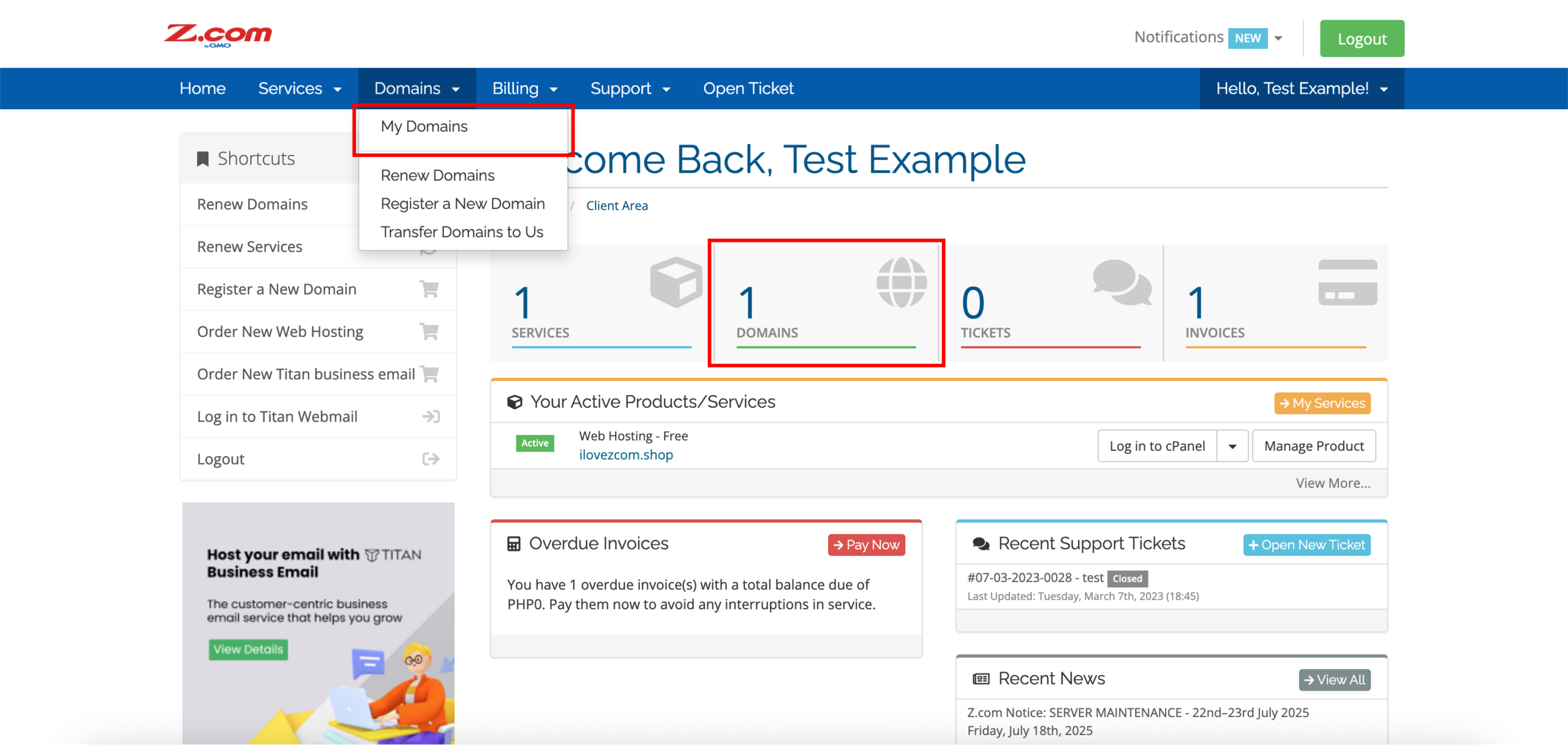
3. On the left side of the top navigation bar, click on the Domains drop-down menu and click My Domains or DOMAINS directly.
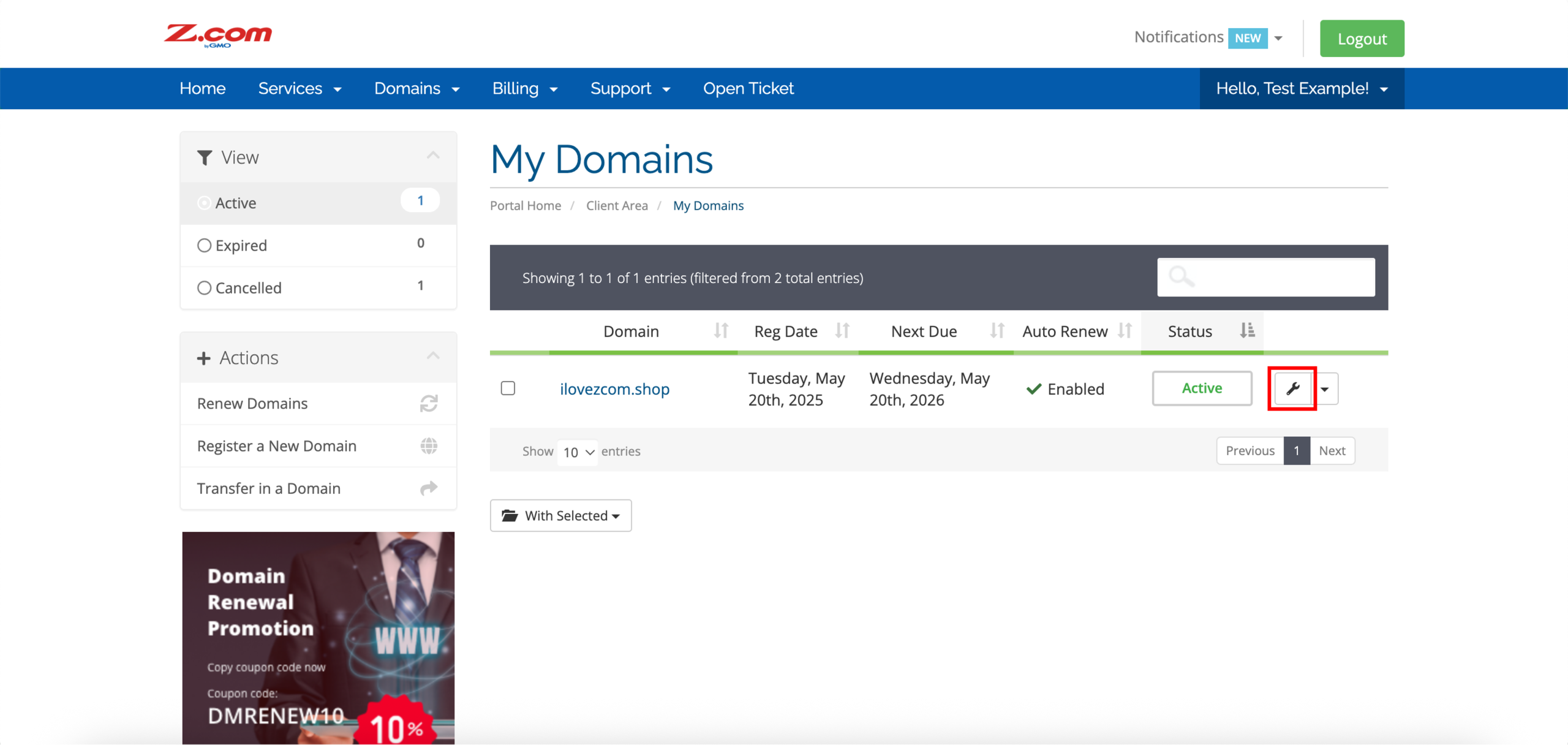
4. Click on the settings icon on the right side of your domain.
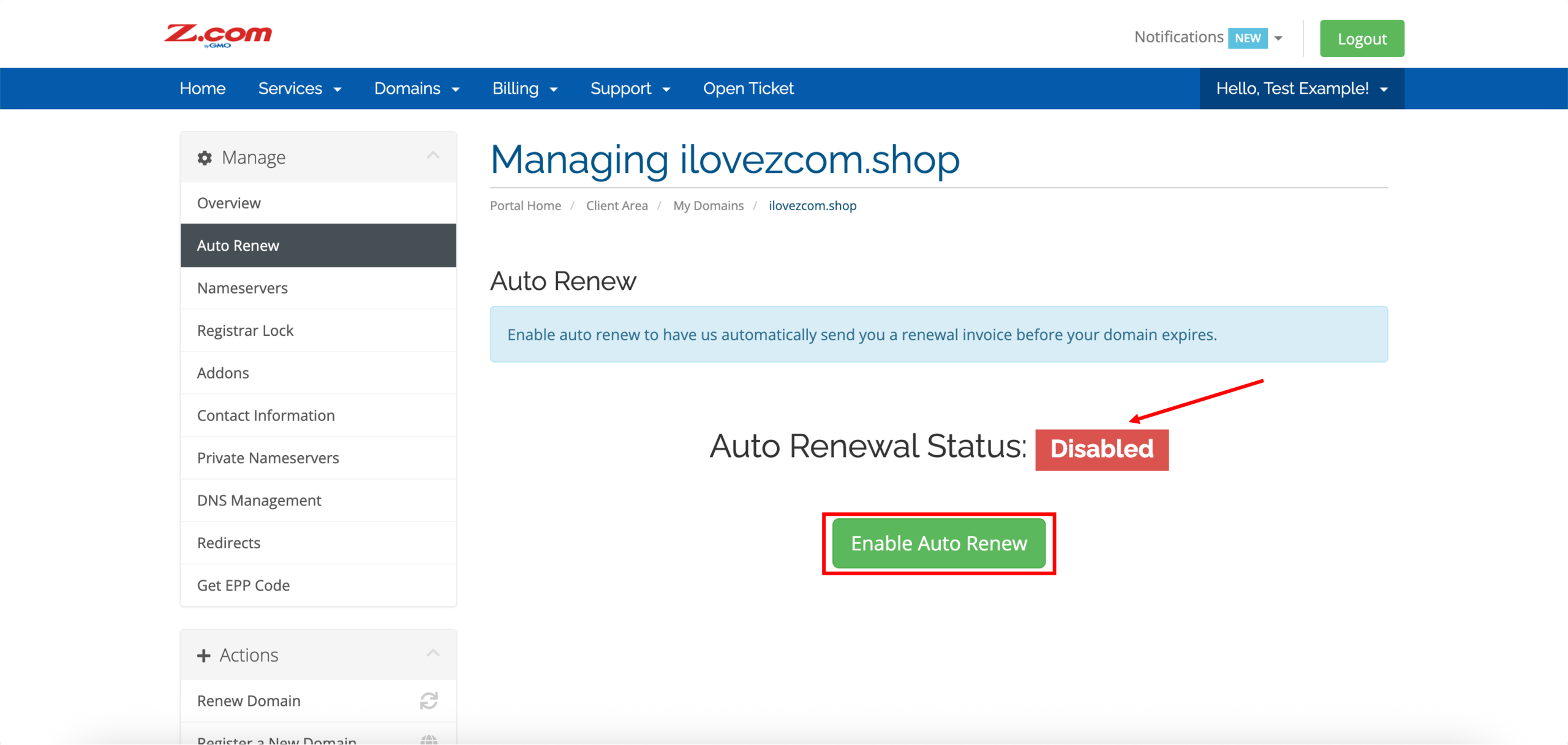
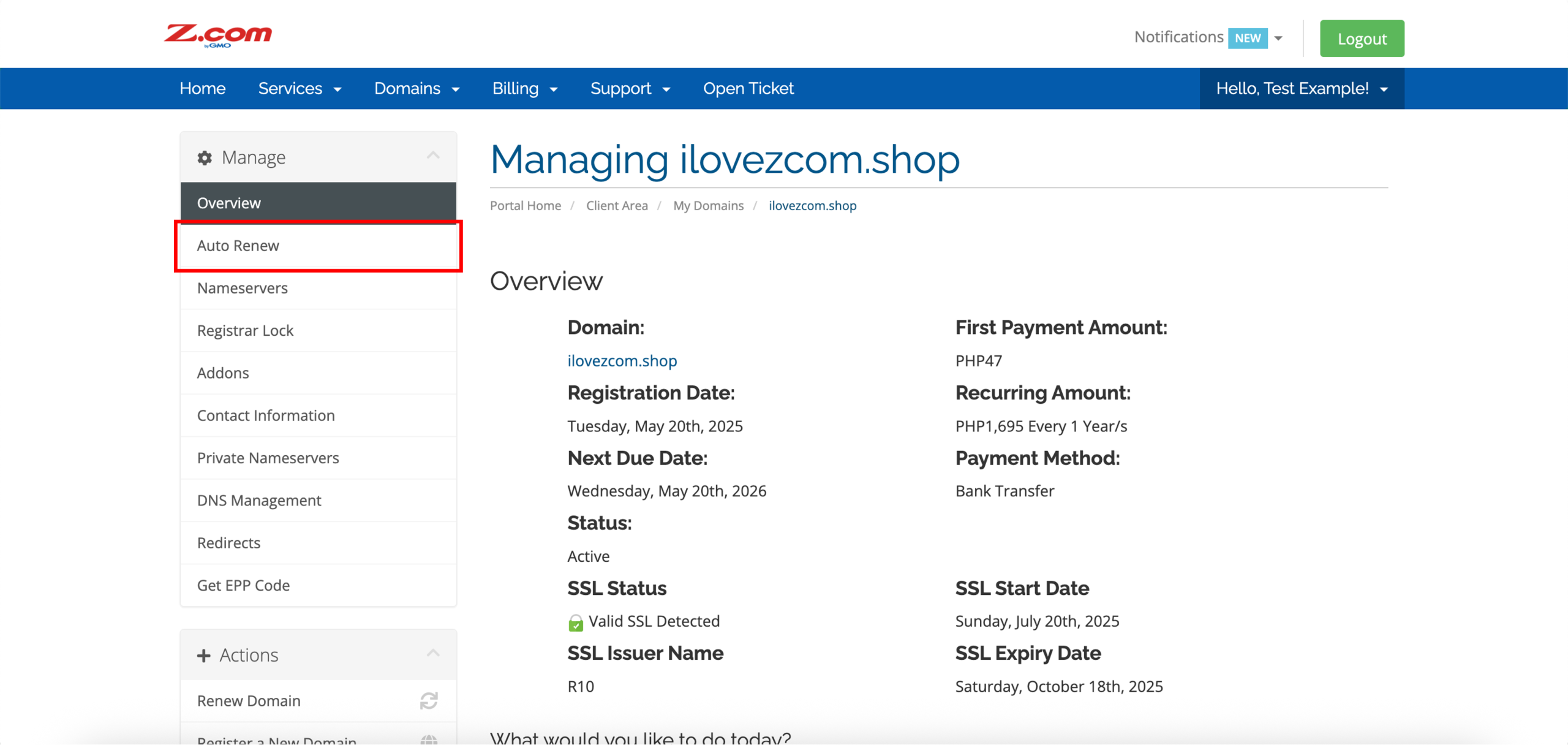
5. Click Auto Renew on the left side under Manage.
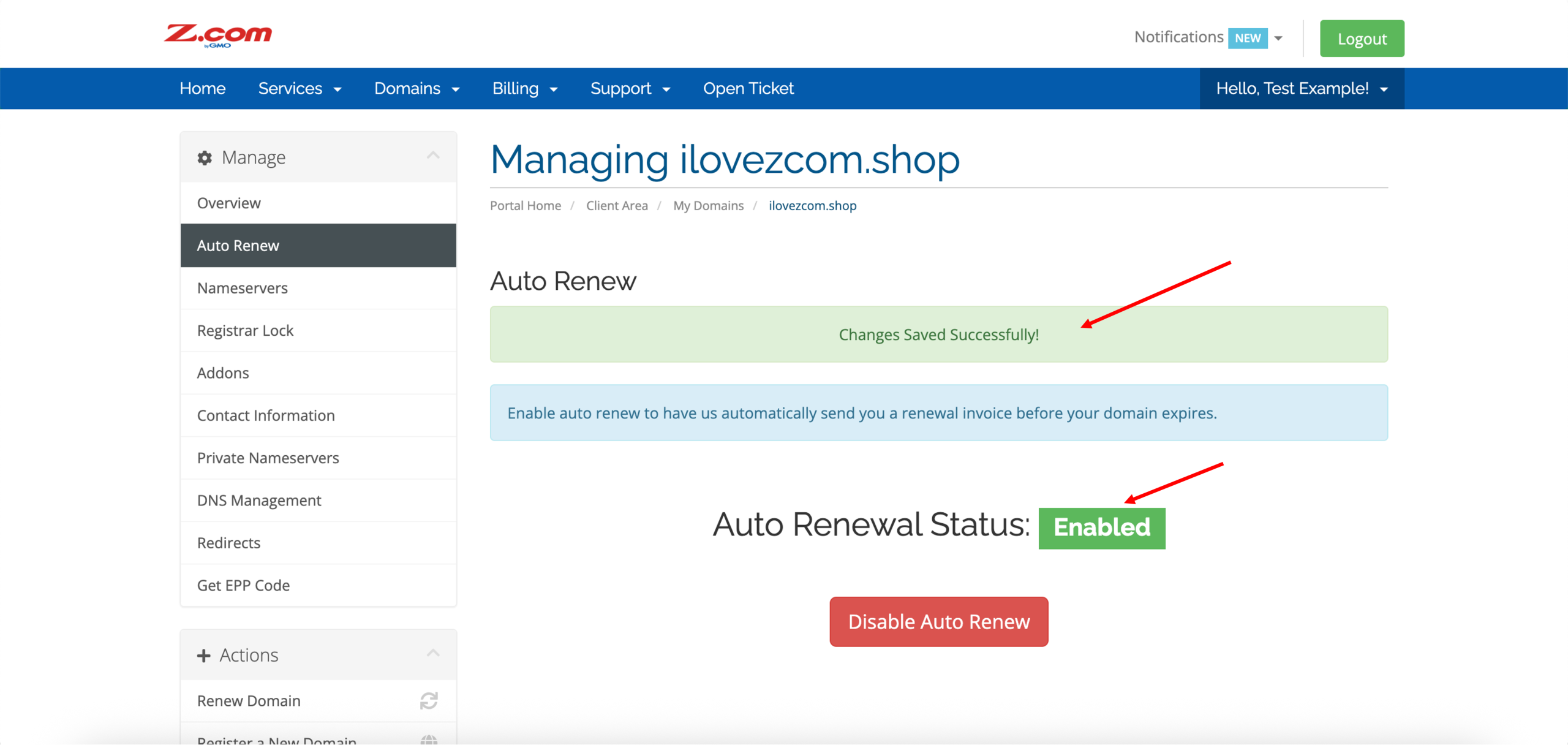
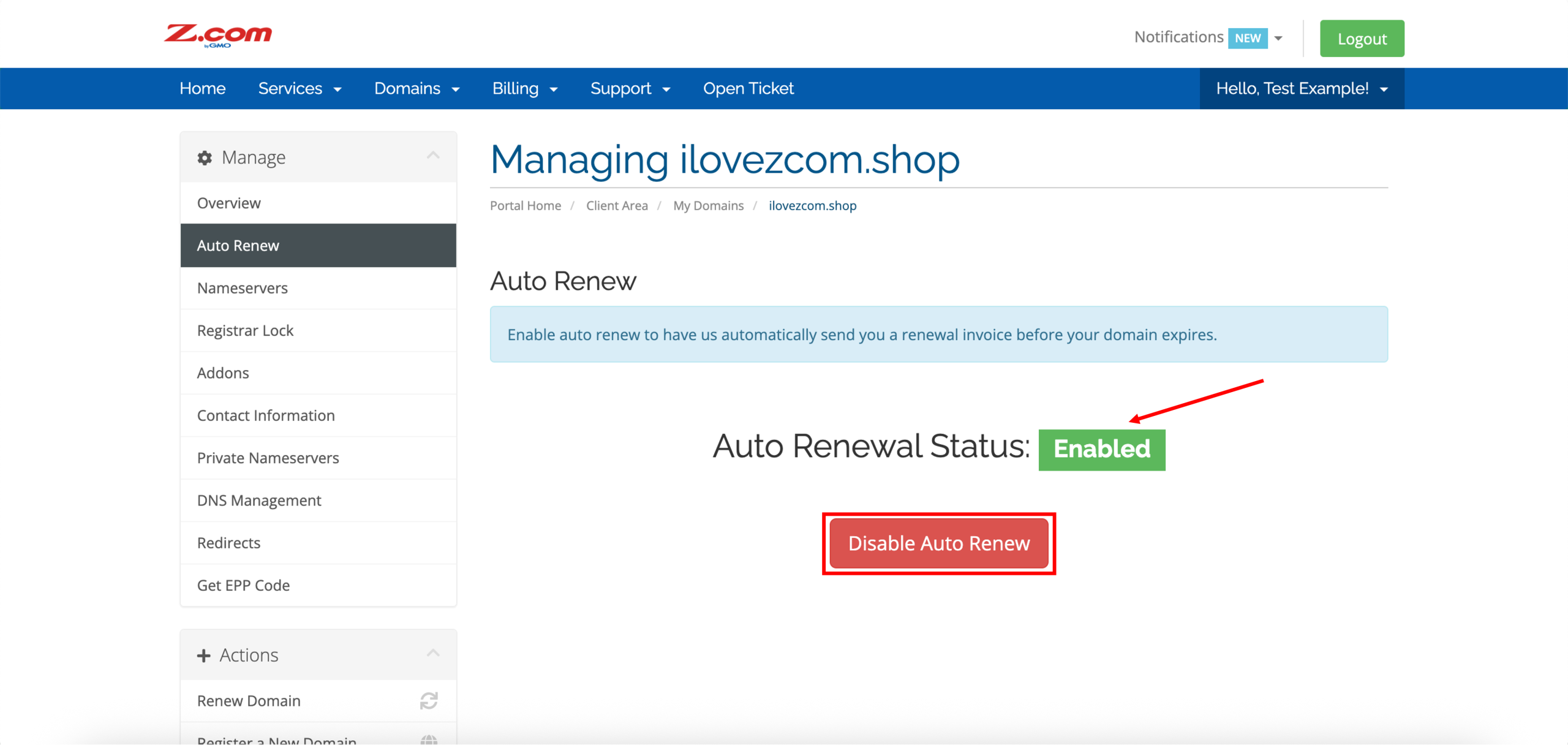
6. By default, the auto-renewal status of your domain is enabled upon successful registration and activation. In this case, click Disable Auto Renew to turn off auto-renewal for your domain.
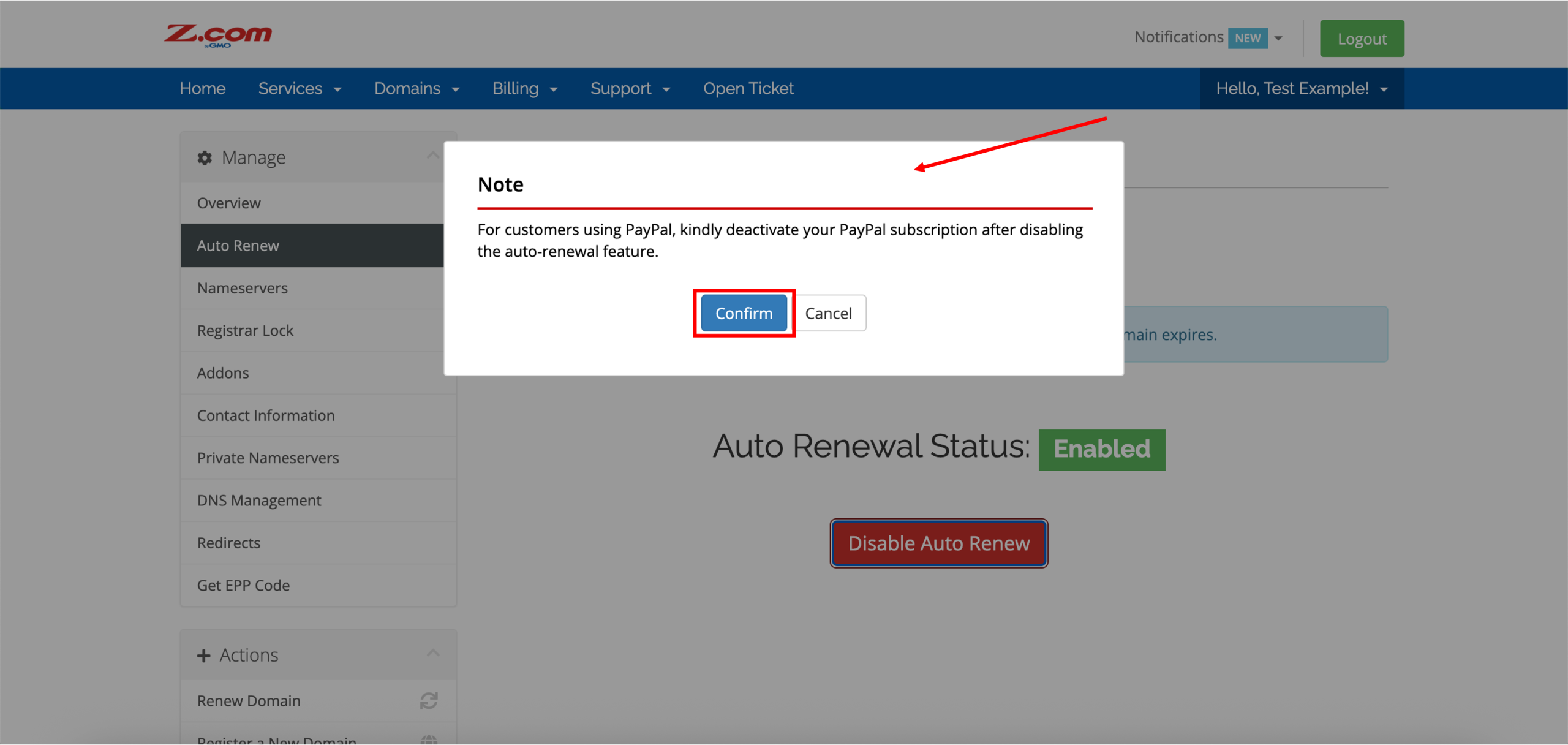
Note: If you use PayPal as your payment method, please cancel or disconnect the auto-charge (subscription) feature directly from your PayPal account when Auto-Renewal Status is set to Disabled in Z.com. Otherwise, PayPal may still attempt to process automatic payments even if auto-renewal is turned off on our system.
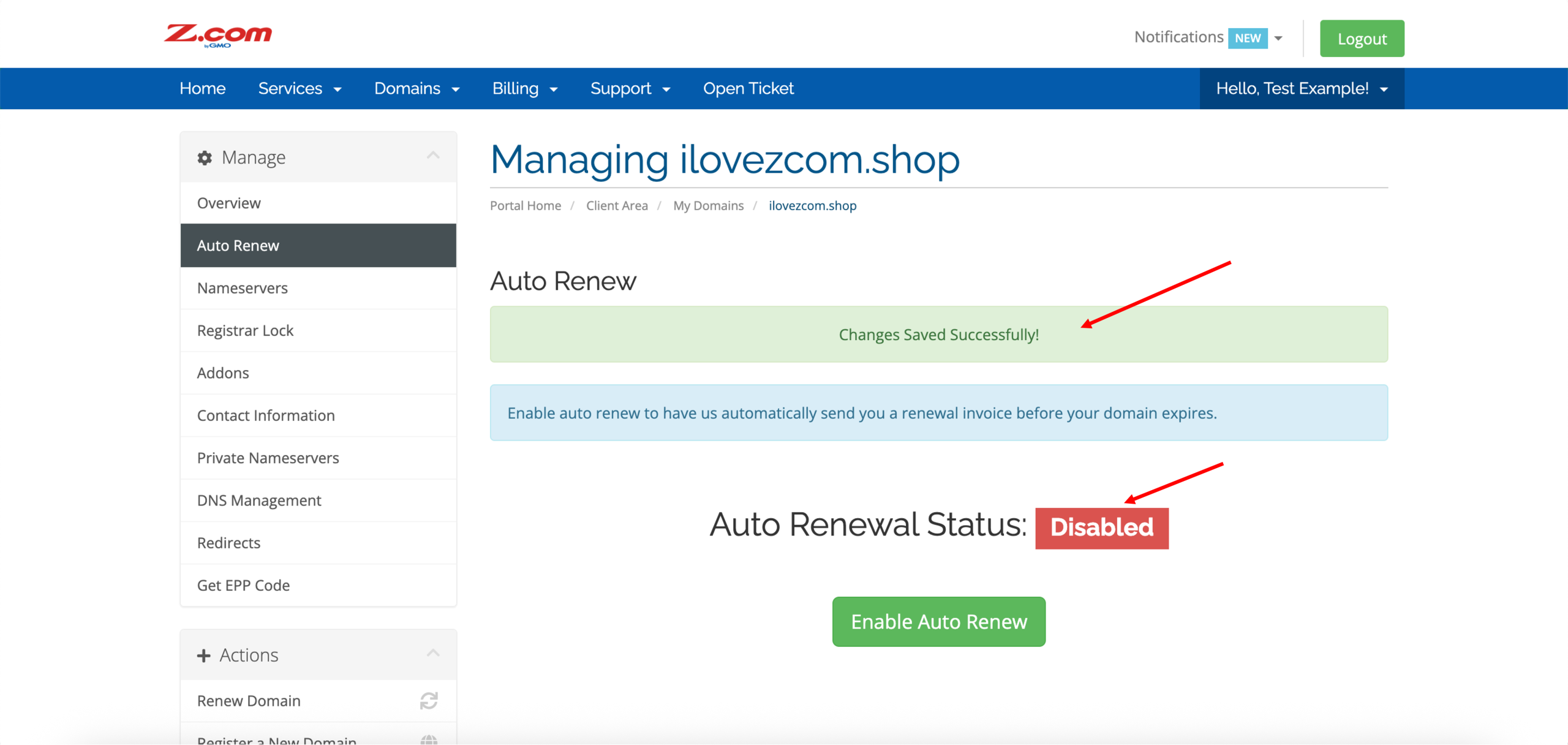
7. Similarly, click Enable Auto Renew to turn on auto-renewal for your domain.