
Example :
How to set up an email or change my account settings.
- Help Center
- Domain
- Transfer My Domains
- Unlock or Lock My Domain for Transfer
Unlock or Lock My Domain for Transfer
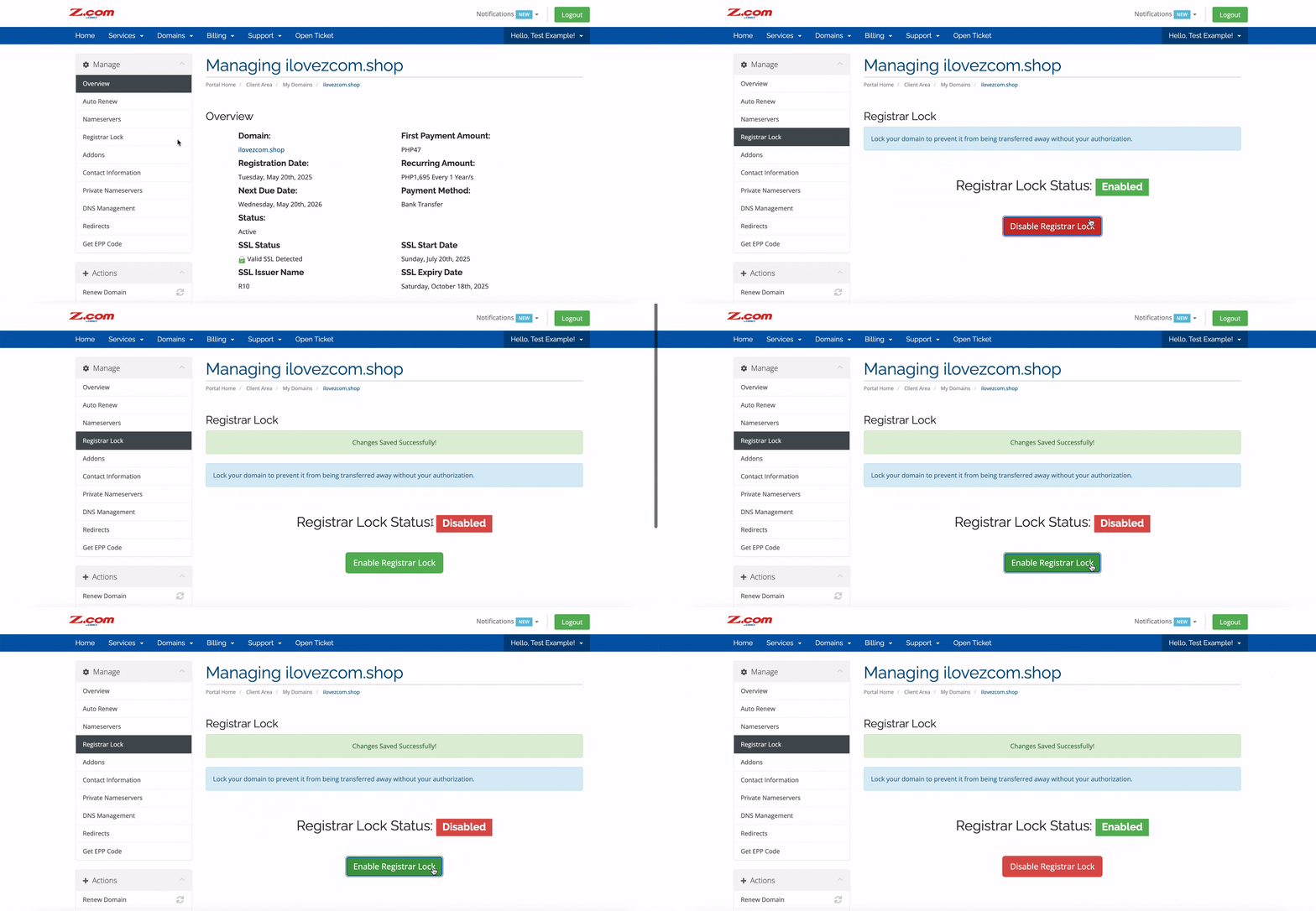
For security reasons, all domains are locked by default to protect them from unauthorised transfers or domain hijacking. This lock ensures that your domain cannot be moved to another registrar without your approval.
To transfer your domain from Z.com, you must first unlock it directly through your Z.com account.
1. Go to our Sign-in page.
2. Enter your Email Address and Password, and proceed to log in.
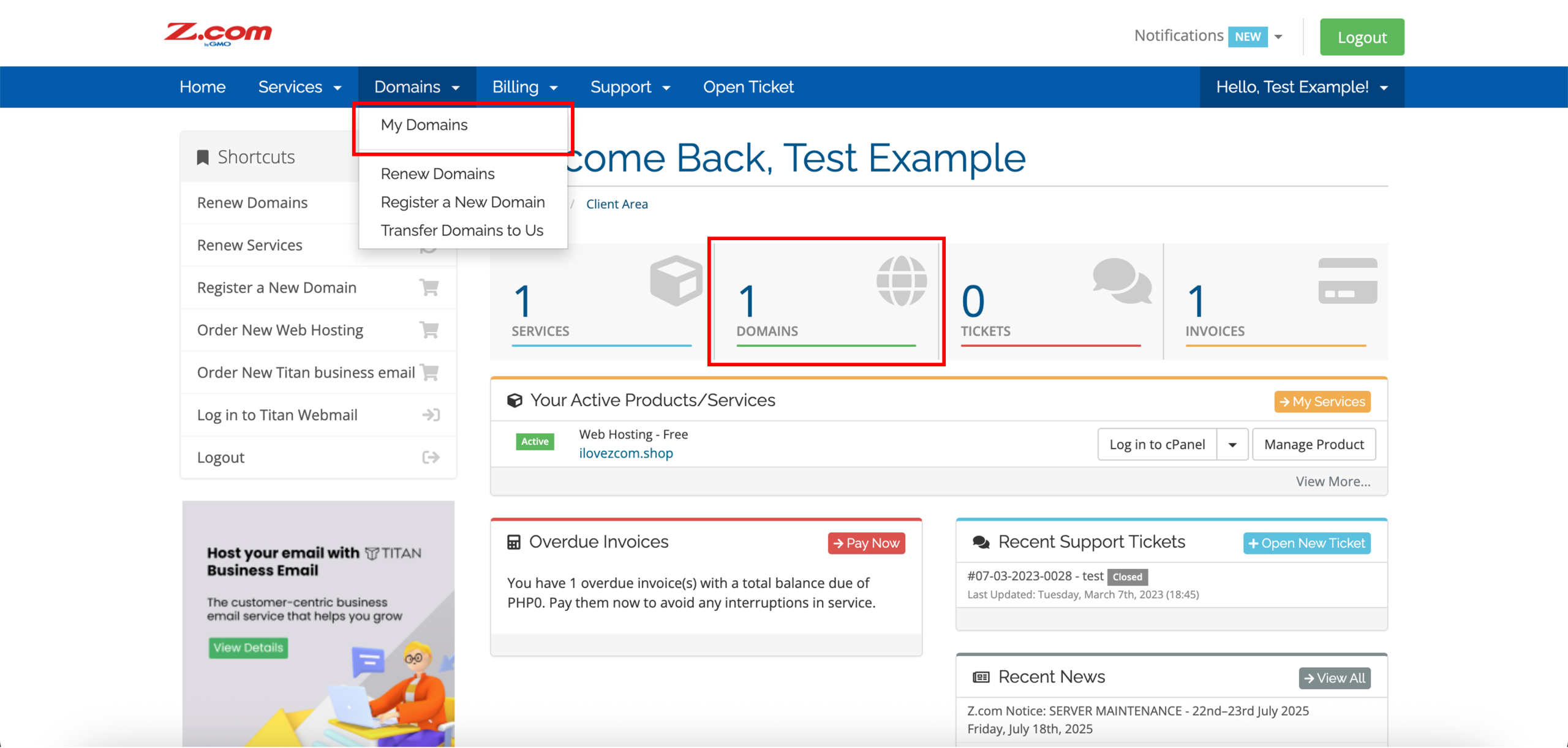
3. On the left side of the top navigation bar, click on the Domains drop-down menu and click My Domains or DOMAINS directly.
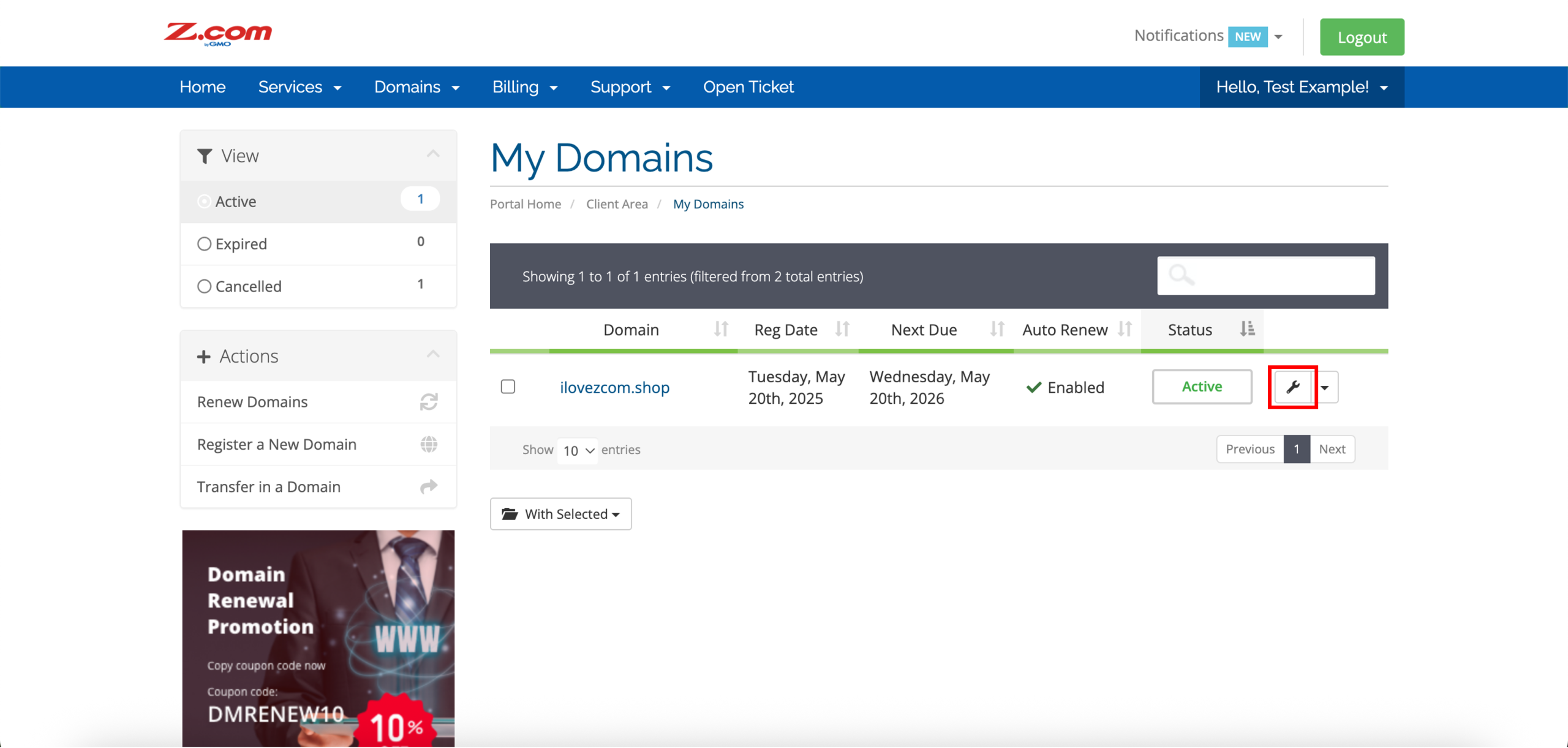
4. Click on the settings icon on the right side of your domain.
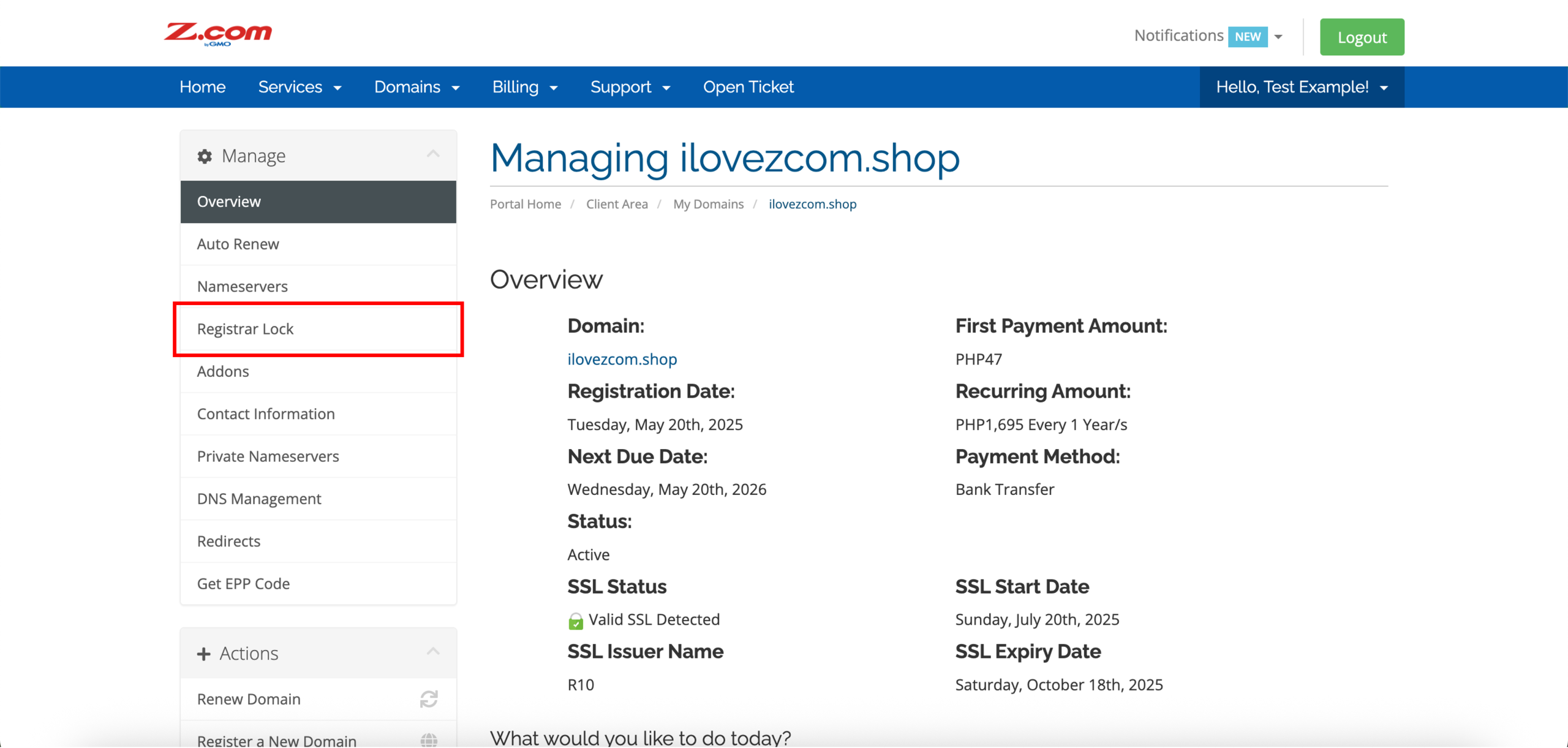
5. Click Registrar Lock on the left side under Manage.
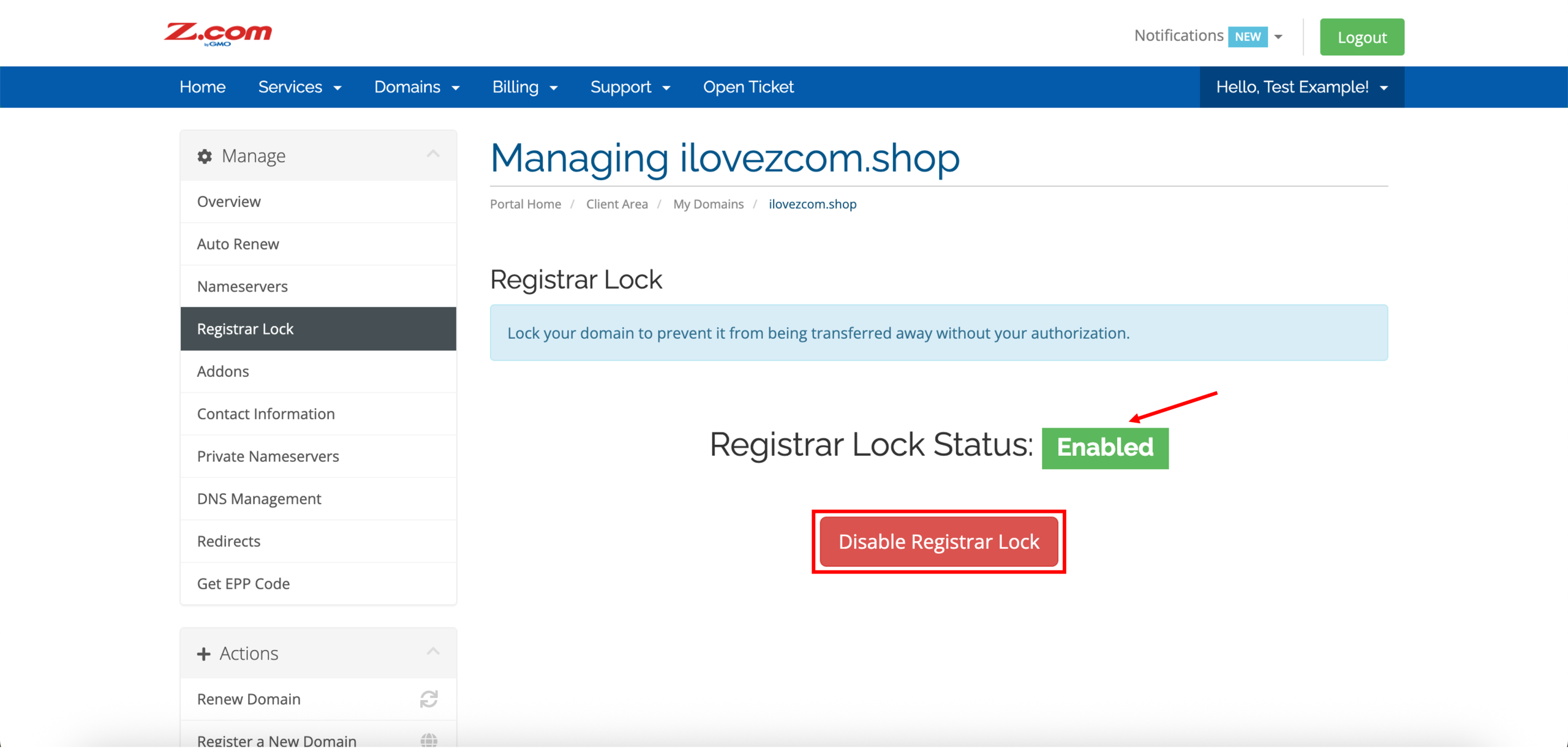
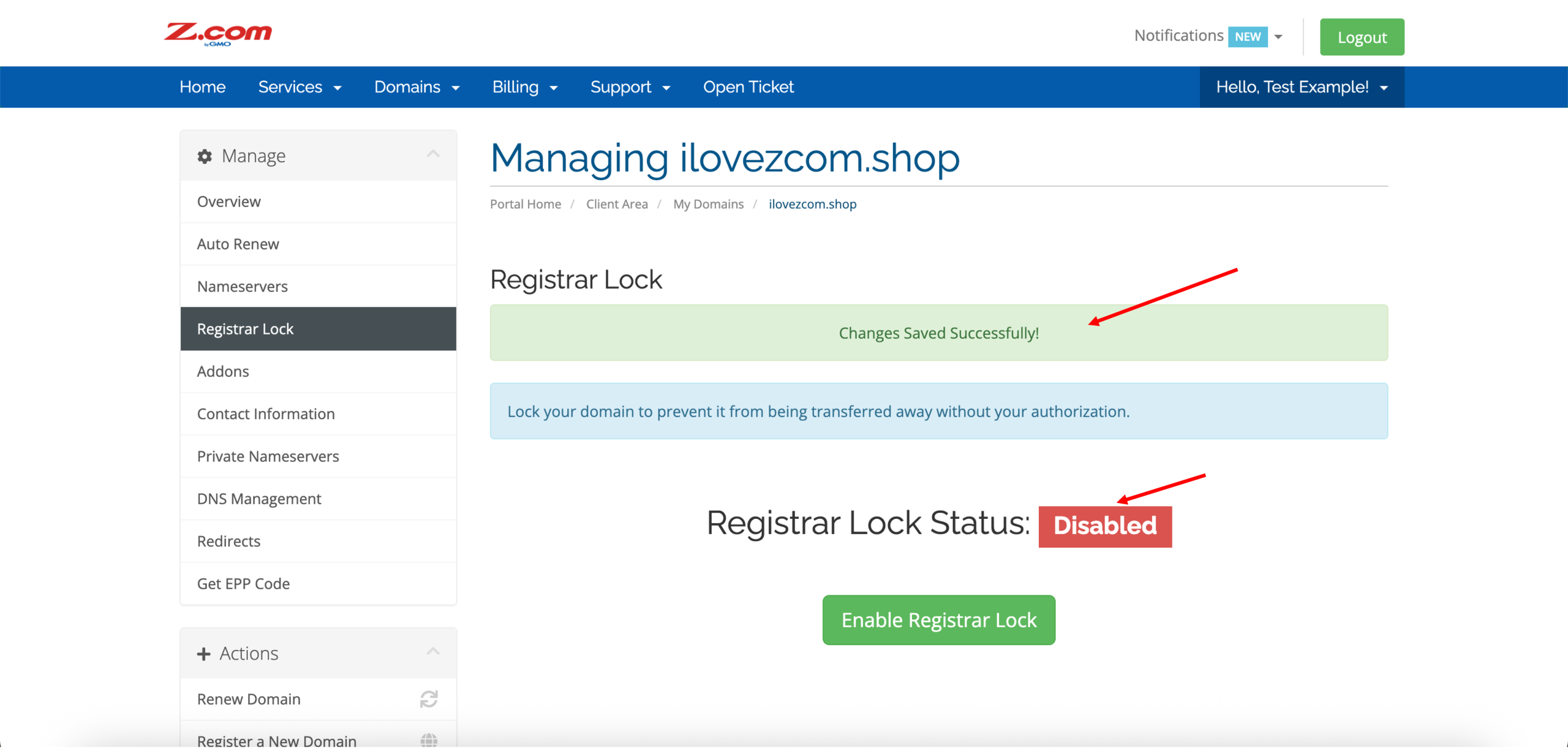
6. By default, the registrar lock of your domain is enabled upon successful registration and activation. In this case, click Disable Registrar Lock to unlock your domain.
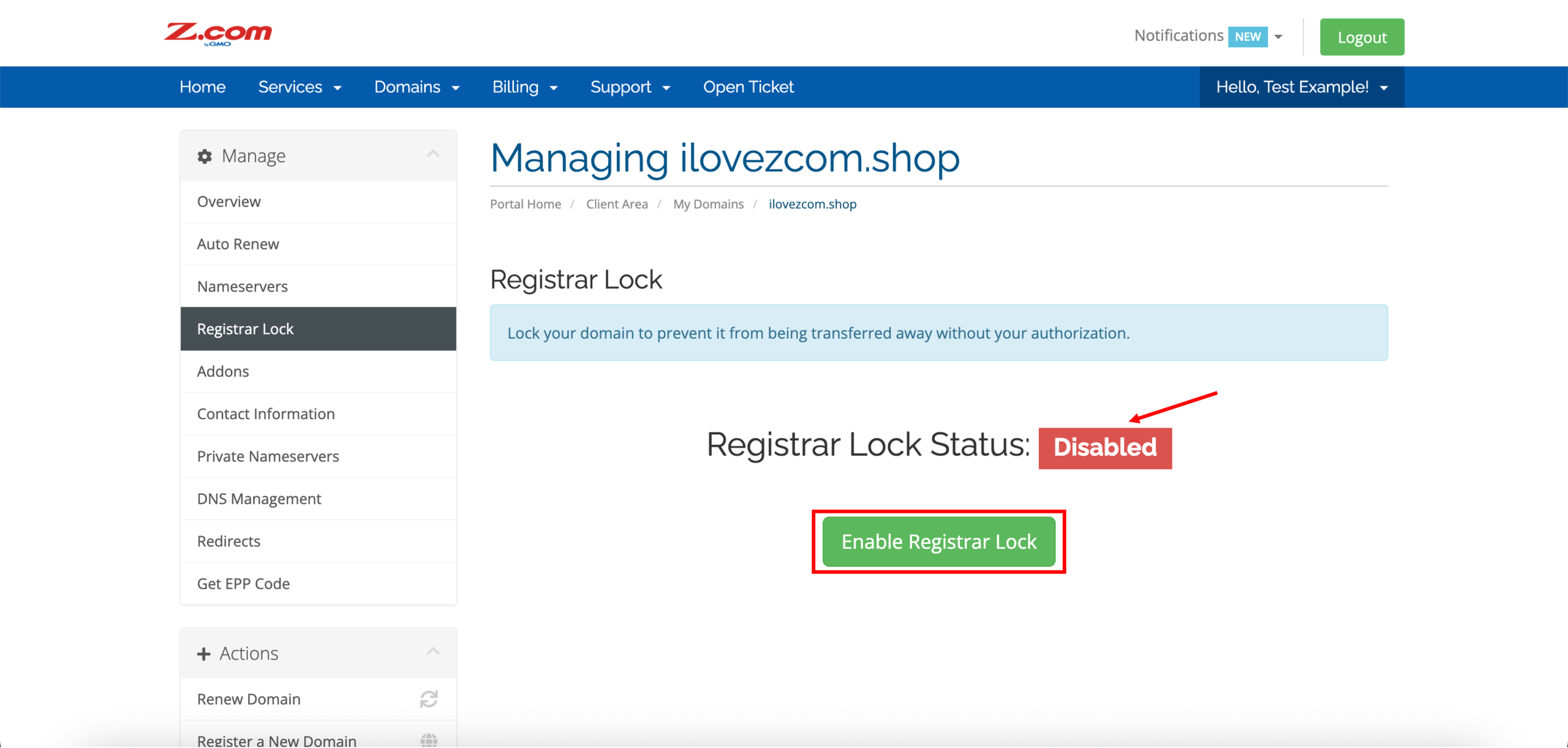
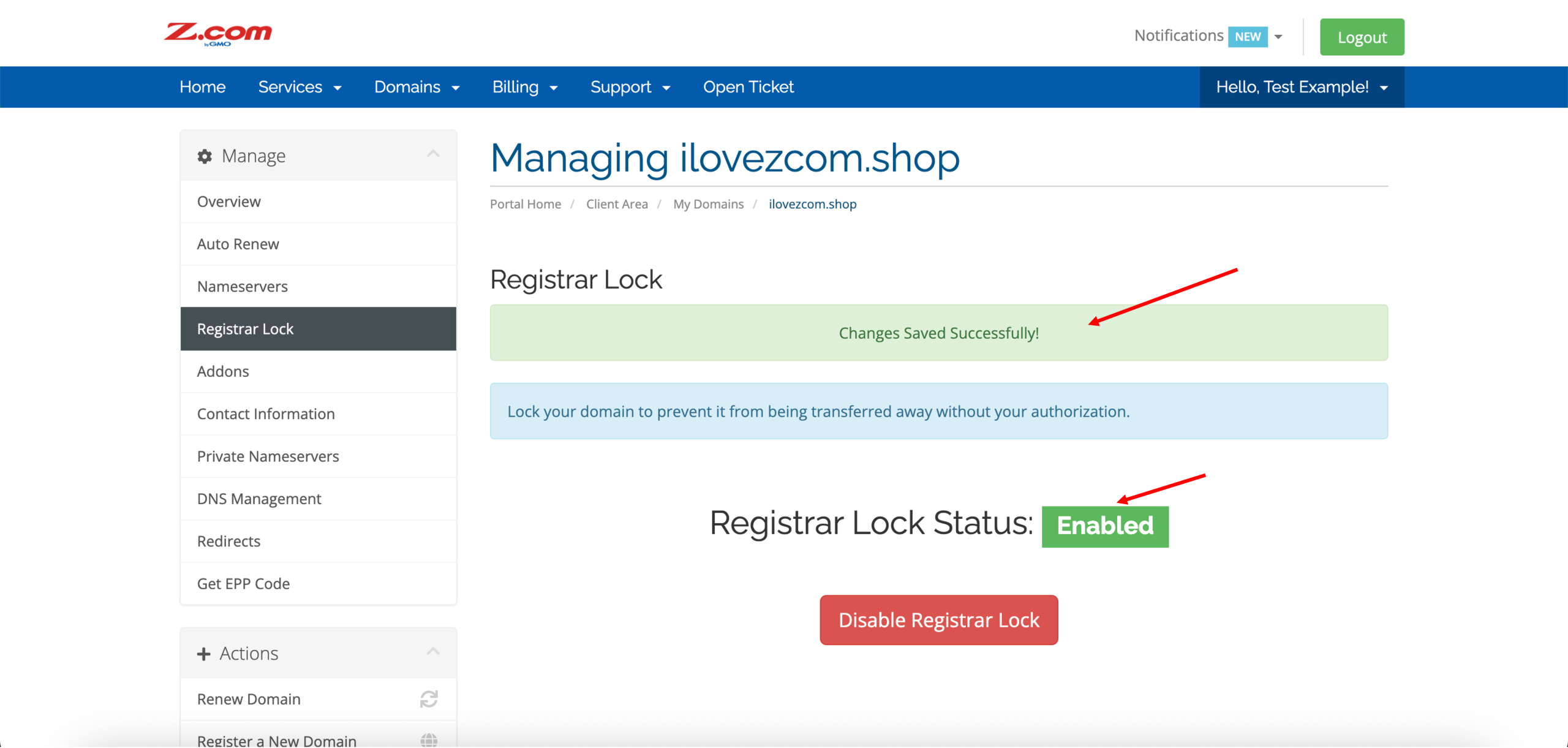
7. Similarly, click Enable Registrar Lock to lock your domain.
Why can’t the domain be unlocked?
Domains can only be unlocked 60 days after registration or newly transferred, per ICANN regulations. Additionally, a domain cannot be unlocked if recent changes to the WHOIS information are still pending verification. If your domain is older than 60 days and your WHOIS information changes have been verified, but your domain still cannot be unlocked, please contact our customer support team for assistance.