
Example :
How to set up an email or change my account settings.
- Help Center
- WordPress Hosting
- Getting Started
- What is the difference between WP Squared and WordPress Admin?
What is the difference between WP Squared and WordPress Admin?
It is easy to confuse WP Squared and WordPress Admin, as both may sound similar, but they actually serve different purposes. The WP Squared dashboard helps you manage your hosting environment and WordPress websites, while the WordPress Admin page is where you design and manage your actual website content.
Note: You can access your WordPress Admin page directly from the WP Squared dashboard with just one click. You may click here for a guide on how to log in to WP Squared and how to log in to the WordPress Admin page here.
What is the WP Squared dashboard?
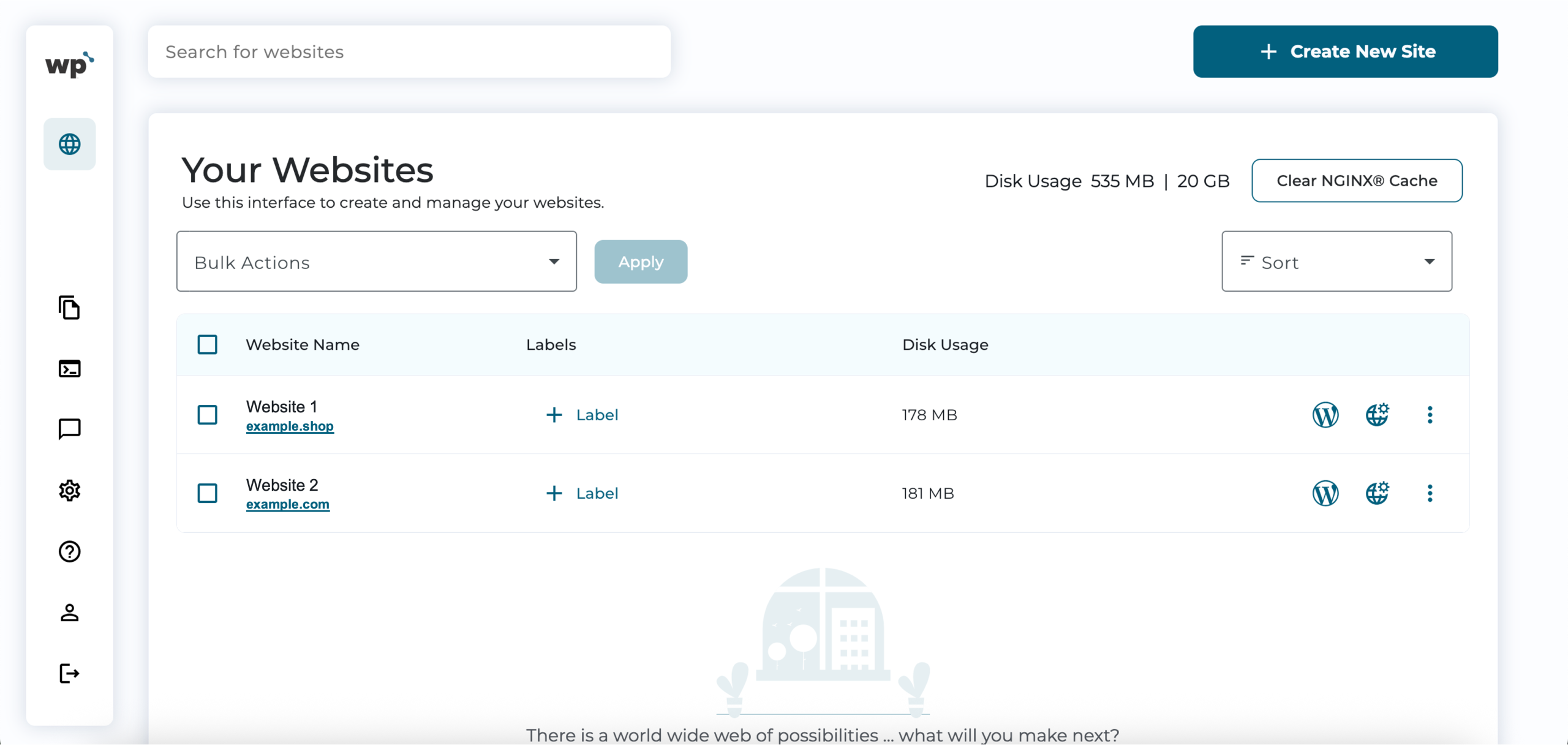
WP Squared is a third-party optimised WordPress hosting platform that Z.com offers to customers. It lets you create, access, and manage multiple WordPress websites in one place.
From the WP Squared dashboard, you can:
• View all your WordPress installations
• Log in to your WordPress Admin with one click
• Check usage and resource details
• Manage backups and settings
• Handle domain/SSL settings
• Manage security, backups, and staging environments
What is the WordPress Admin page?
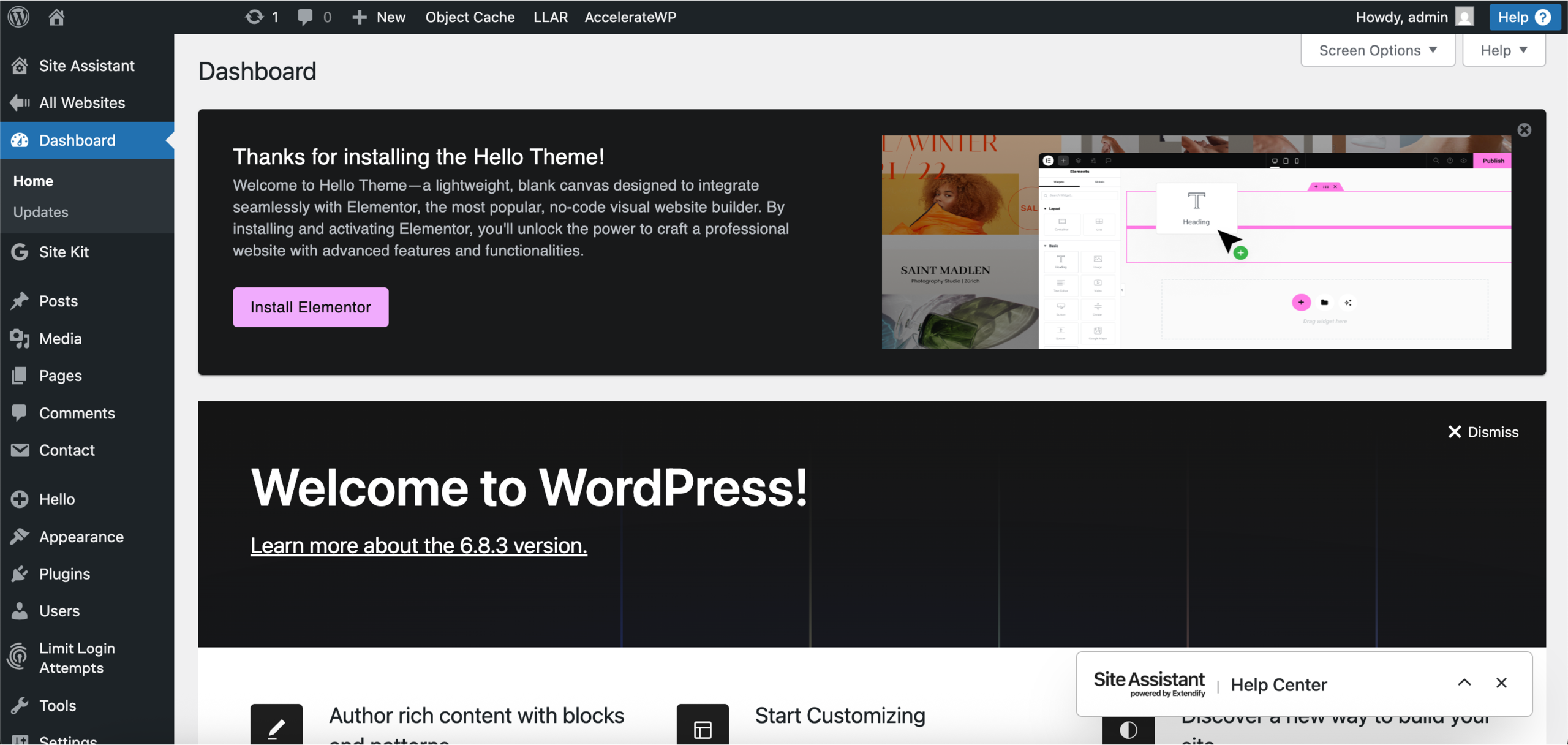
The WordPress Admin Dashboard (often called wp-admin) is the control panel inside each individual WordPress website. It is where you create and publish posts, install themes or plugins, and customise your website’s design and settings.
From the WordPress Admin page, you can:
• Edit posts/pages
• Install plugins/themes
• Change WordPress settings
• Manage users
• Run the website itself
In short, this is where you build your website content, not manage the hosting environment.
To sum it up,
– WP Squared manages your hosting and all your WordPress installations.
– WordPress Admin manages your website’s design, content, and functionality.