
Example :
How to set up an email or change my account settings.
- Help Center
- Cloud VPS
- Getting Started
- How to Find Your Server IP Address?
How to Find Your Server IP Address?
Checking your IP address lets you identify which address your service is using. You can then use it for domain configuration, remote access, or other setup tasks. For example, you can enter your server’s IPv4 address in your domain’s DNS settings (as an A record) to point your domain name to your server.
Table of contents
Log in to Z.com Client Account
2. Enter your Email Address and Password, and proceed to log in.
Access the Cloud Management Page
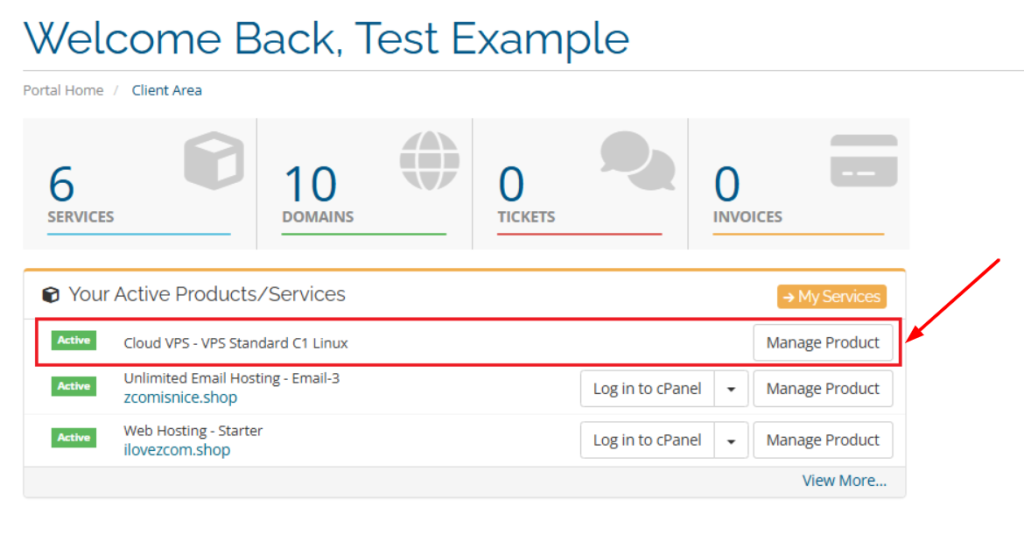
2. Click Manage tab, then select the IP Addresses tab. Your server IP information is displayed below, listed by IP version (IPv4 and IPv6).
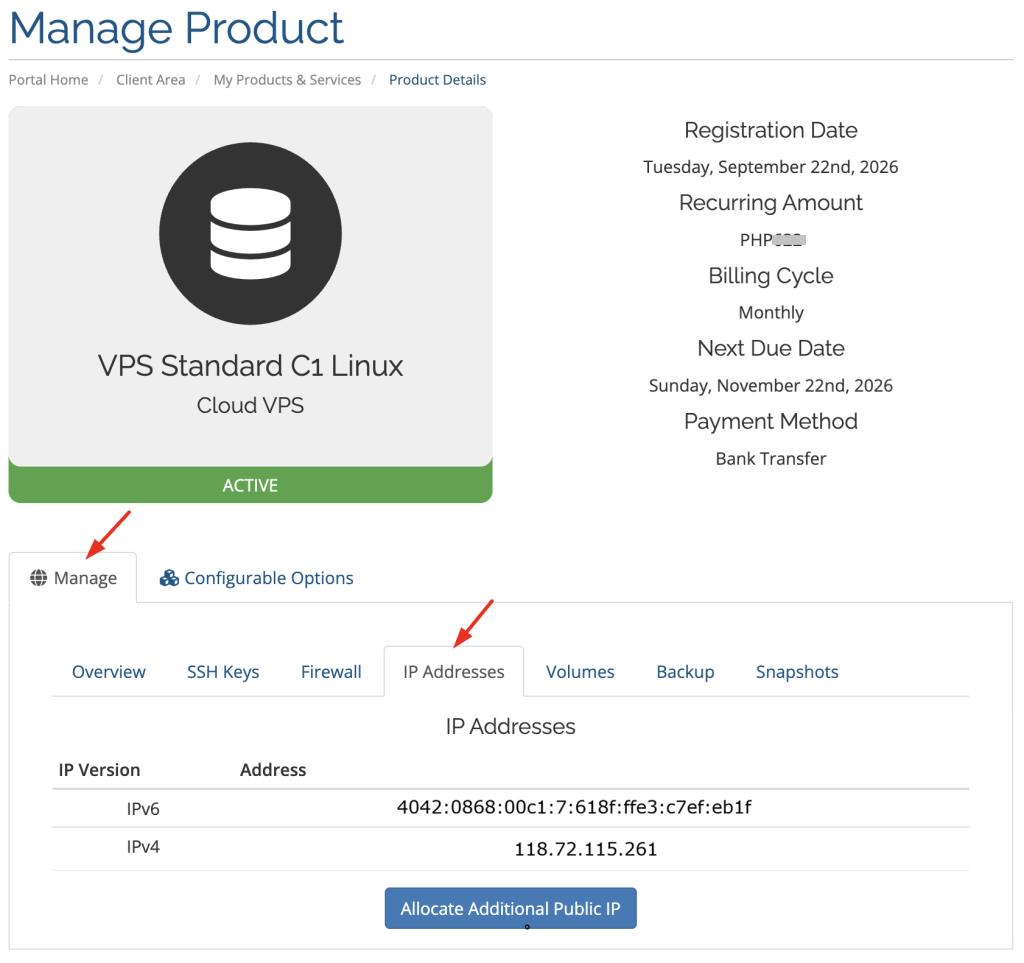
Note: The IP addresses shown in the screenshot are examples. Your Server IP will be different.