
Example :
How to set up an email or change my account settings.
- Help Center
- WordPress Hosting
- WordPress Management
- How to change the default language in WP Squared
How to change the default language in WP Squared
WP Squared allows you to customise the dashboard interface based on your preferred language. Changing the default language updates how the interface displays, making it easier to navigate and manage your website.
This guide will show you how to change the default language in WP Squared using the Account Profile settings.
Note:
• If you do not yet have a WordPress hosting plan, you can compare the available plans that we currently offer on our WordPress hosting page and choose the one that best suits your needs.
• Ensure that you have access to your WP Squared dashboard before proceeding.
• Changing the default language will only affect the WP Squared interface and does not change your website’s content or language.
• The selected language will be applied immediately after selection.
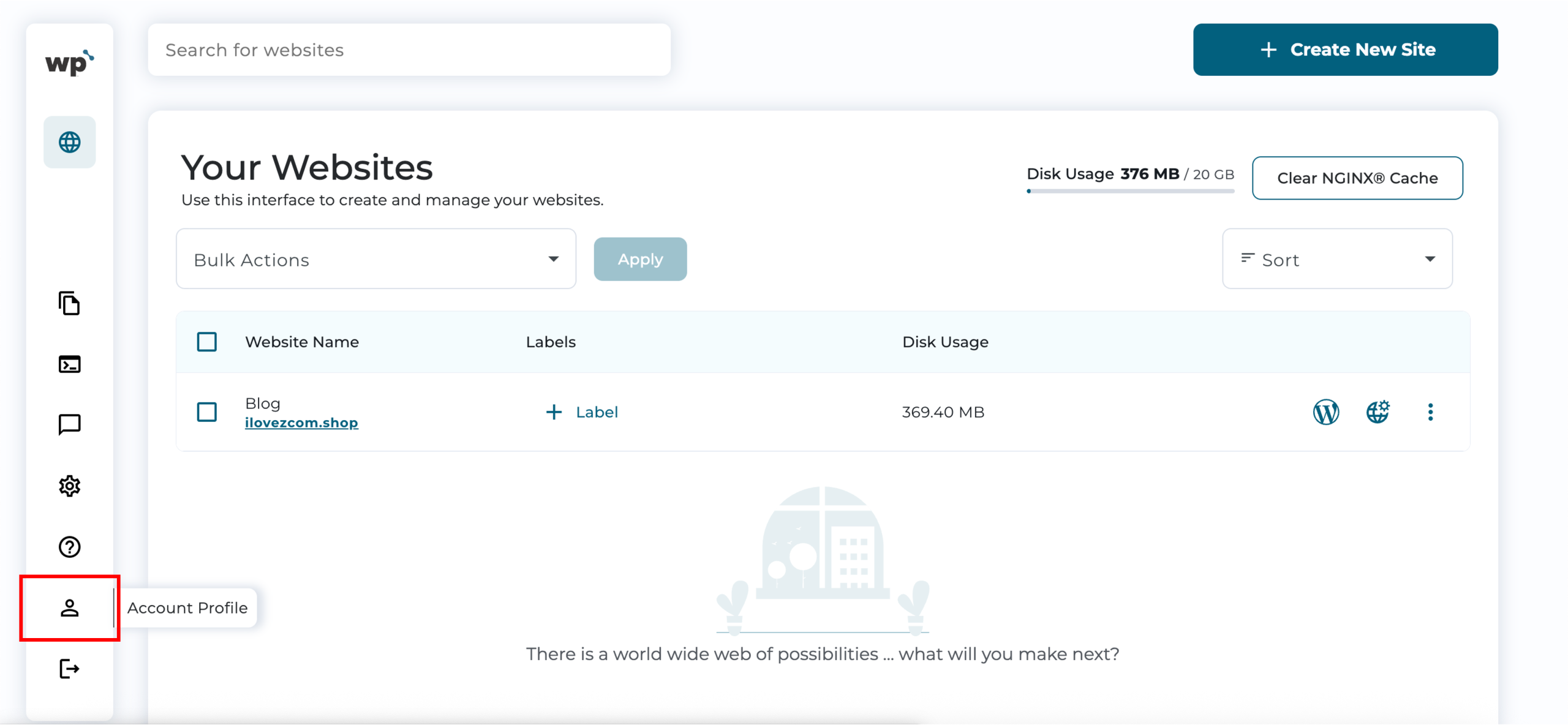
1. Upon reaching your WP Squared dashboard, click Account Profile from the left sidebar.
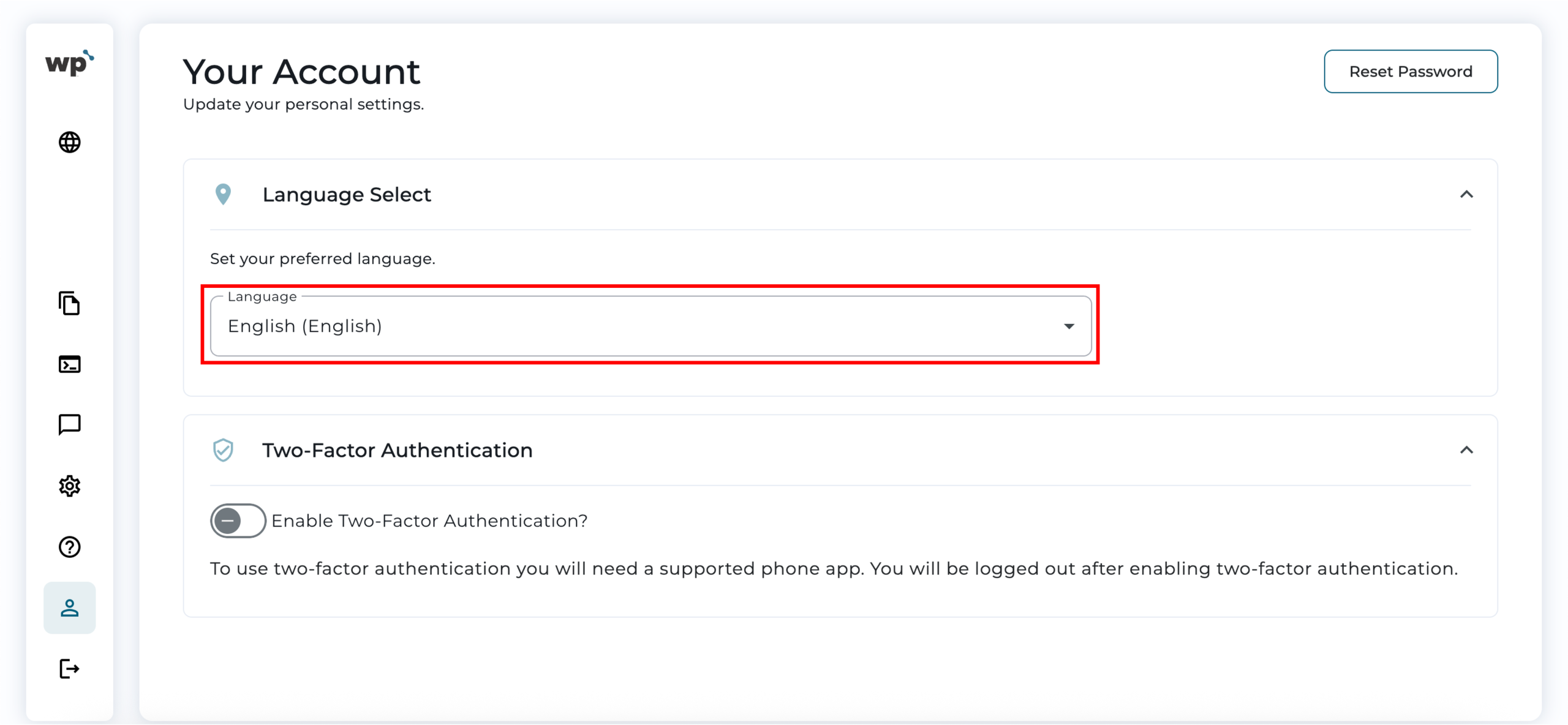
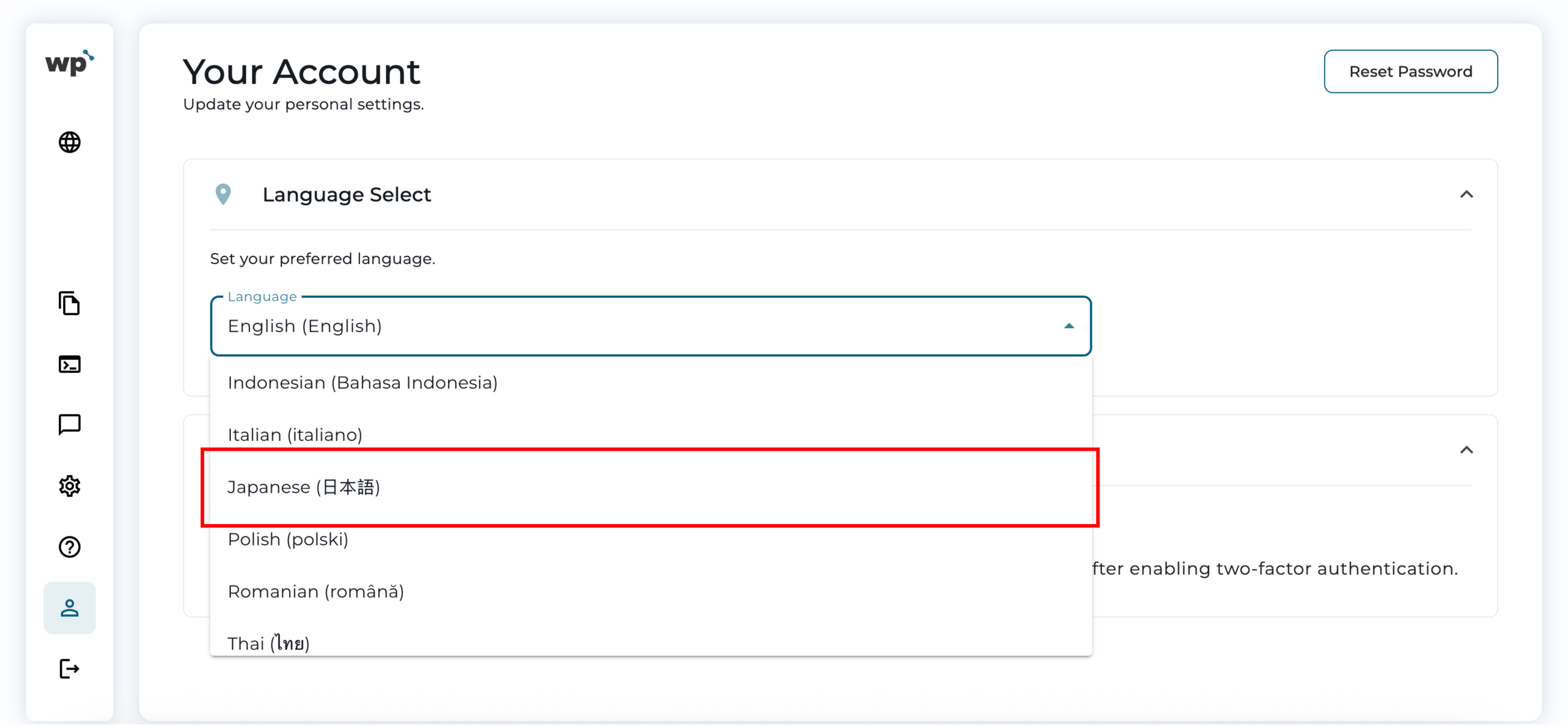
2. Under the Language Select tab, from the Language drop-down menu, select your preferred language. For example, Japanese (日本语).
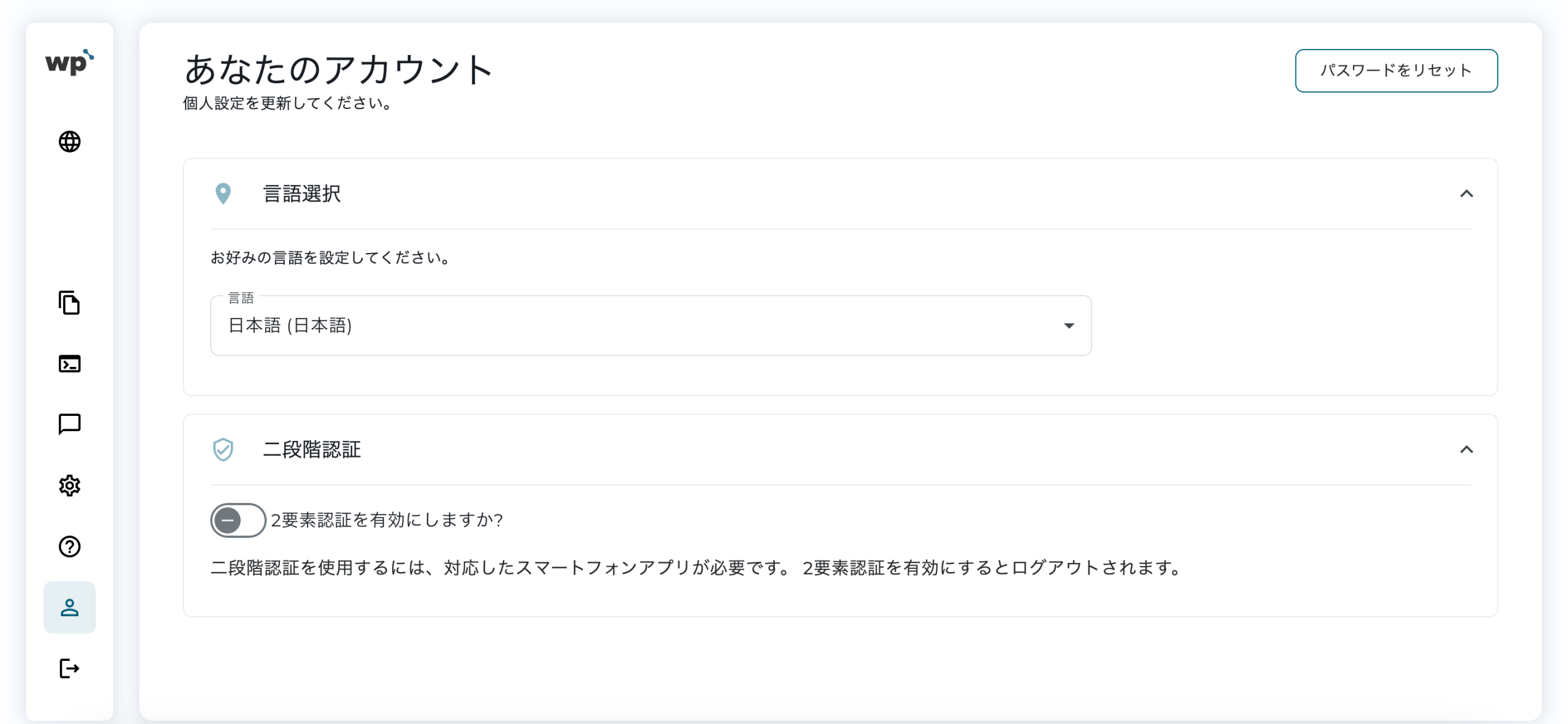
3. Done! The interface will automatically refresh and display in the selected language.
*The following languages are currently supported in WP Squared:
– Brazilian Portuguese
– Dutch
– English
– Finnish
– French
– German
– Iberian Spanish
– Indonesian
– Italian
– Japanese
– Polish
– Romanian
– Thai
– Turkish