
Example :
How to set up an email or change my account settings.
- Help Center
- WordPress Hosting
- WordPress Management
- How to install themes on your WordPress hosting service
How to install themes on your WordPress hosting service
Themes control the overall design and layout of your WordPress website, including its colours, fonts, and page structure. With WordPress hosting, you can easily install and manage themes either through the 1) WP Squared dashboard or directly from the 2) WordPress admin dashboard, depending on your preference and workflow.
Note:
• WordPress offers a wide range of free themes, and you may also use paid (premium) themes from external providers if you have one.
• Only one theme can be active at a time, but you may install multiple themes and switch between them later.
• Installing themes using the WP Squared dashboard is ideal for quick management, while the WordPress admin dashboard gives you direct access to previews, ratings, and theme details.
Table of contents
1. WP Squared dashboard themes installation
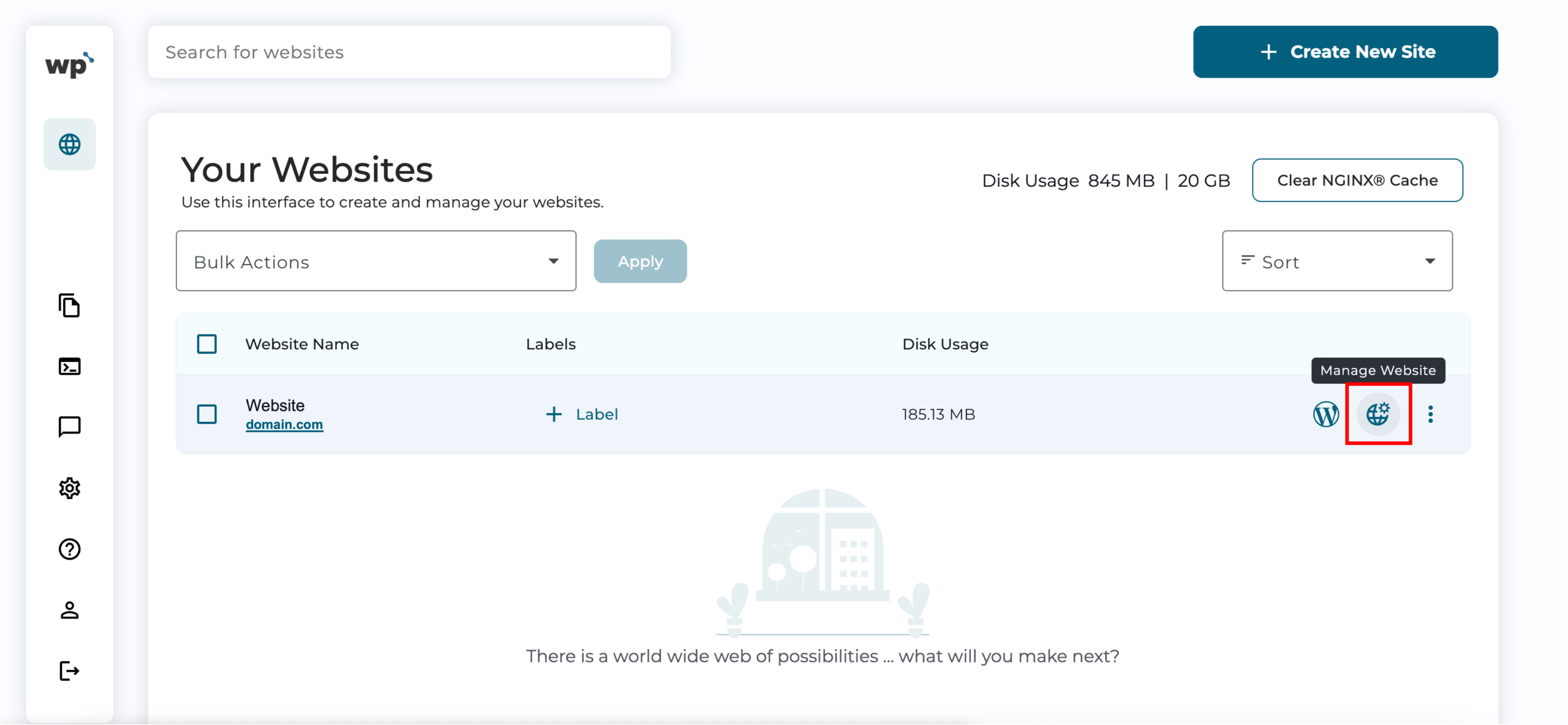
1. Upon reaching your WP Squared dashboard, click Manage Website next to the website you wish to install themes for.
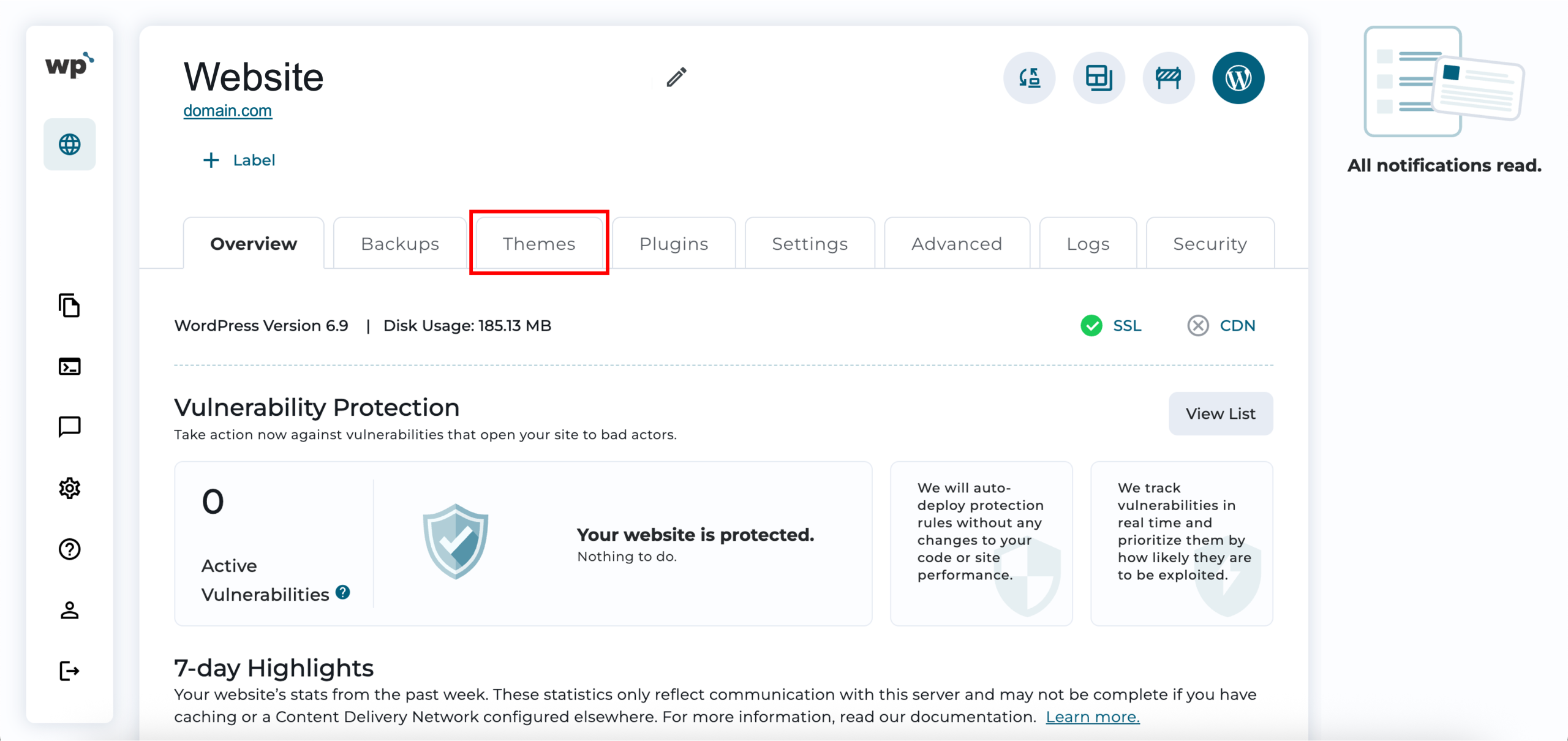
2. Click on the Themes tab.
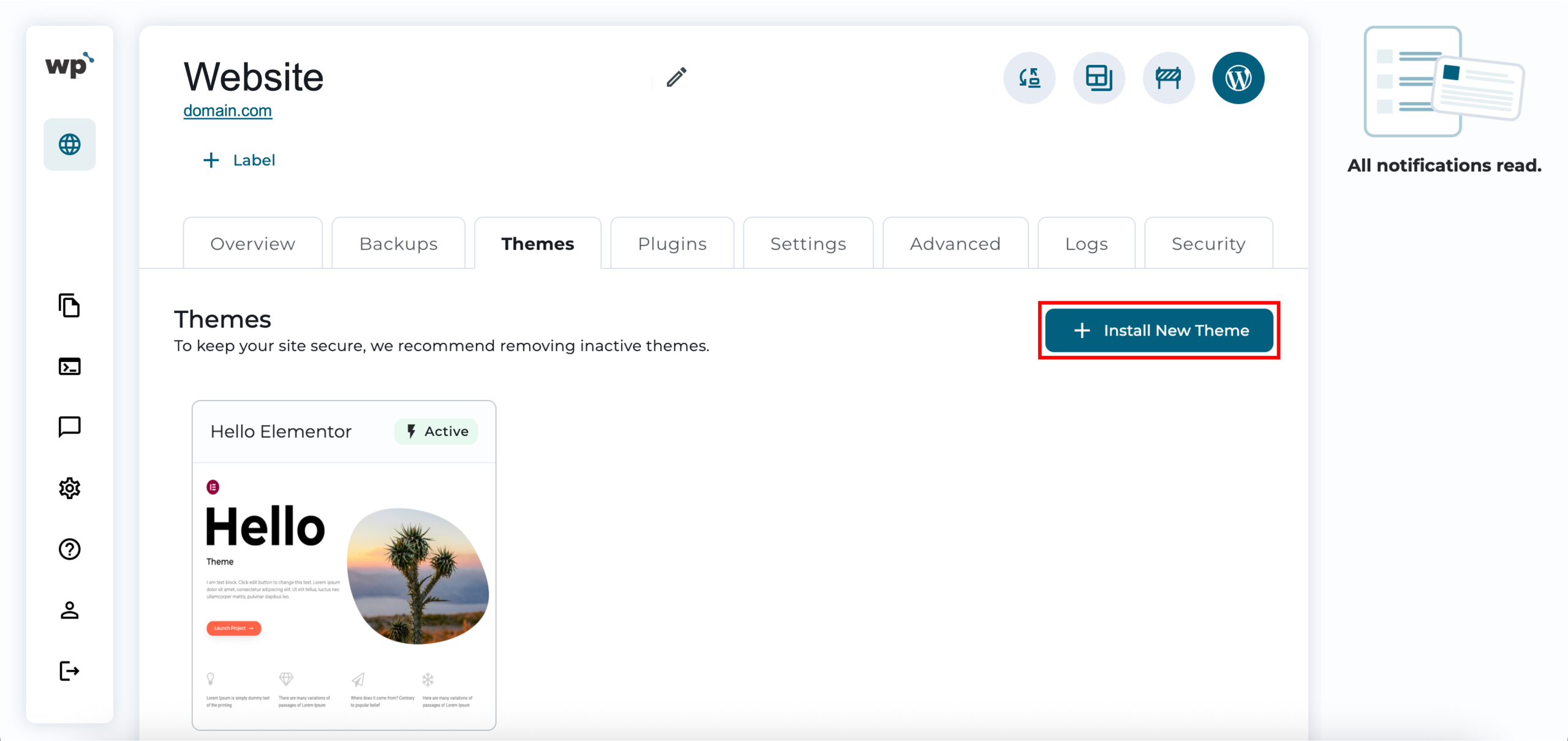
3. Click + Install New Theme.
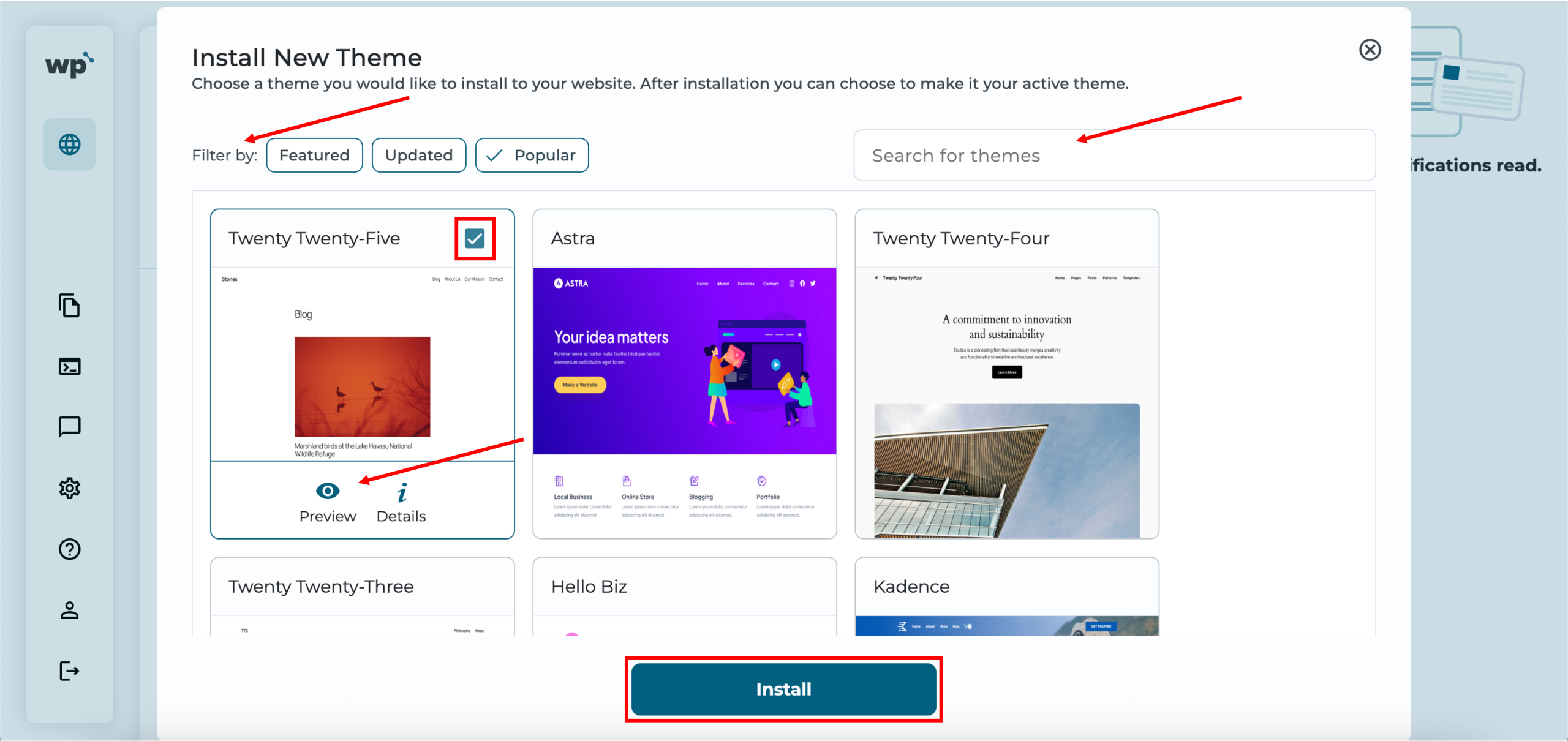
4. Browse the available themes using the filters or search bar. You can preview each theme and view its details before selecting the one you want to install. Once done, click Install.
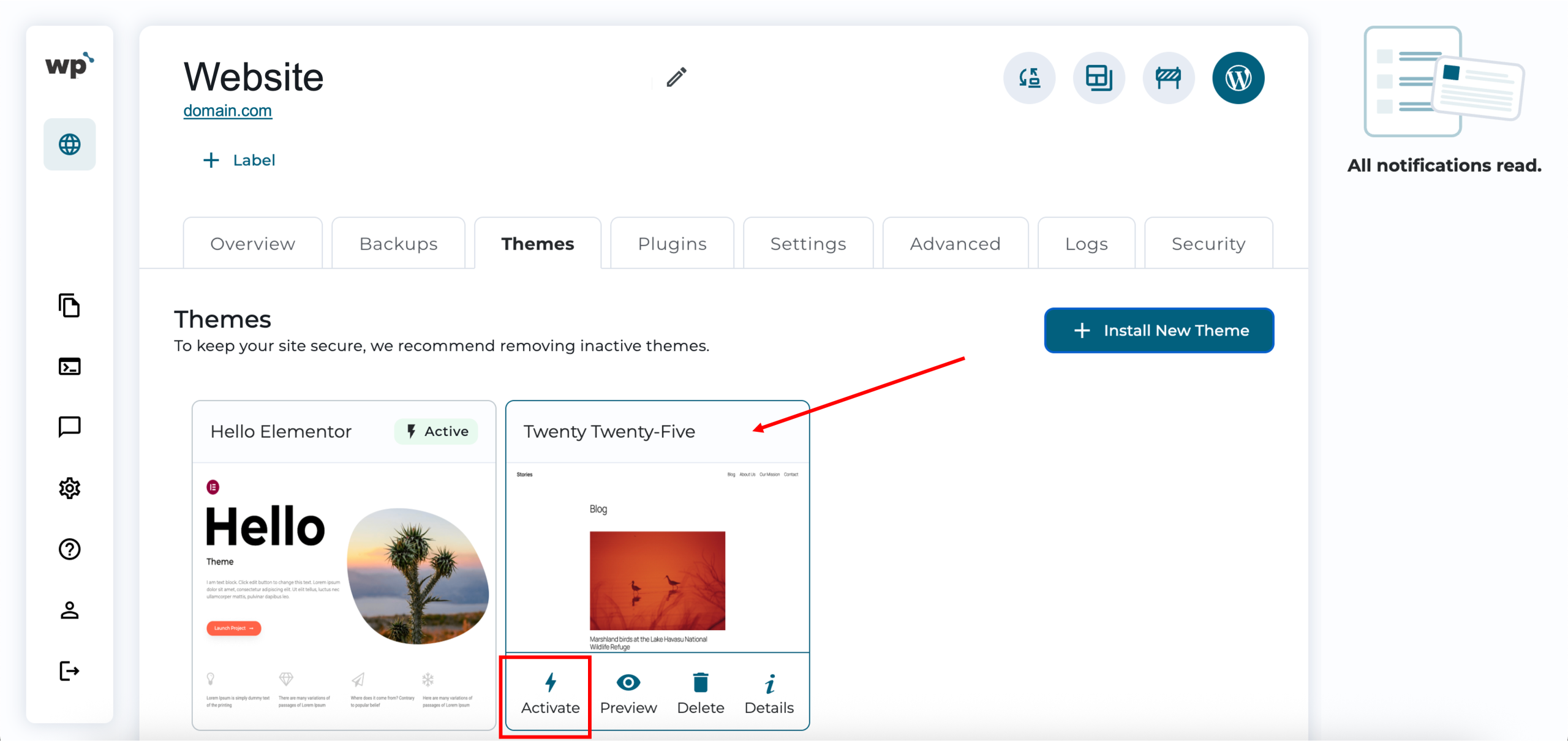
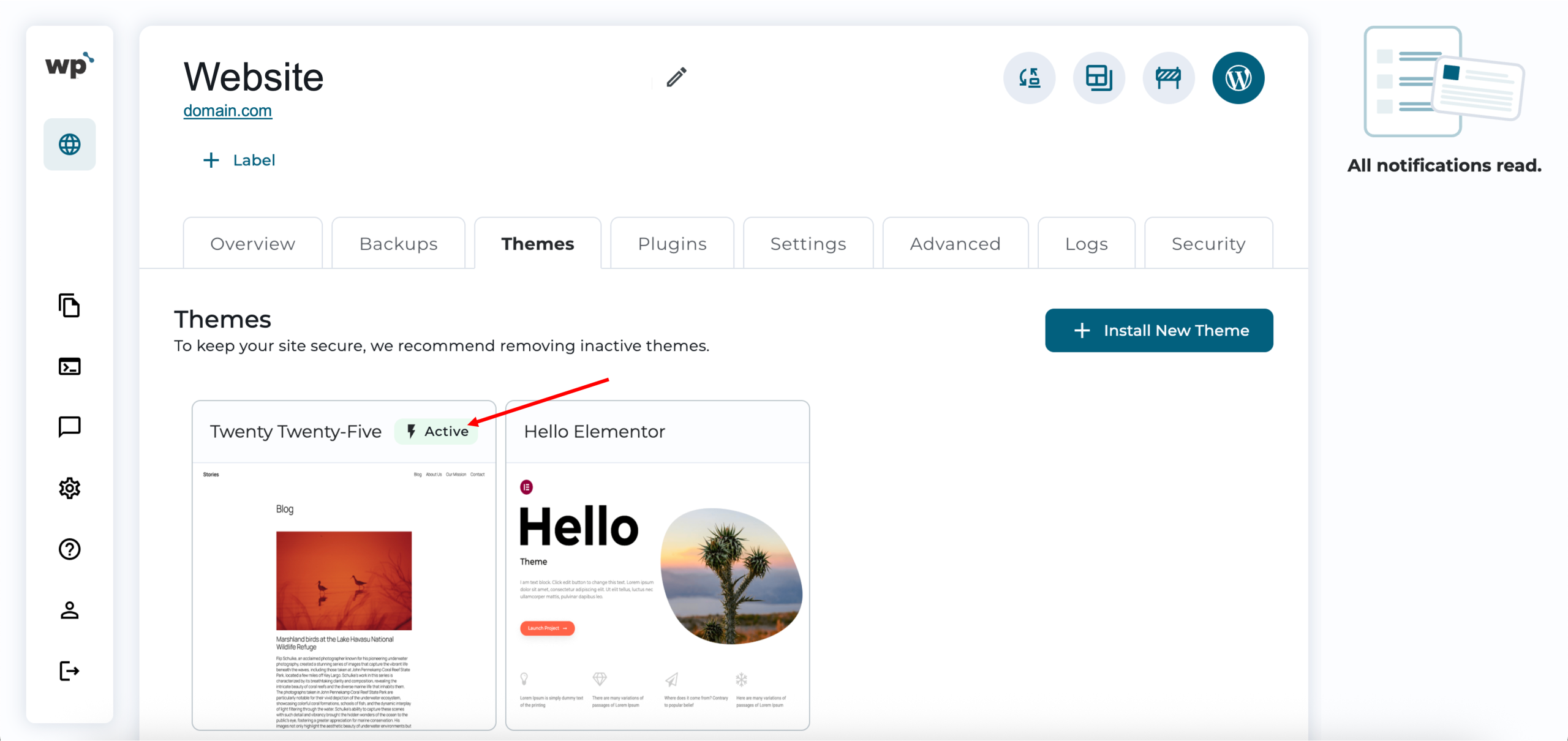
5. Done! Successfully installing the theme will look like the following, listed under your installed themes. To use the installed theme, hover over it and click Activate.
2. WordPress admin dashboard themes installation
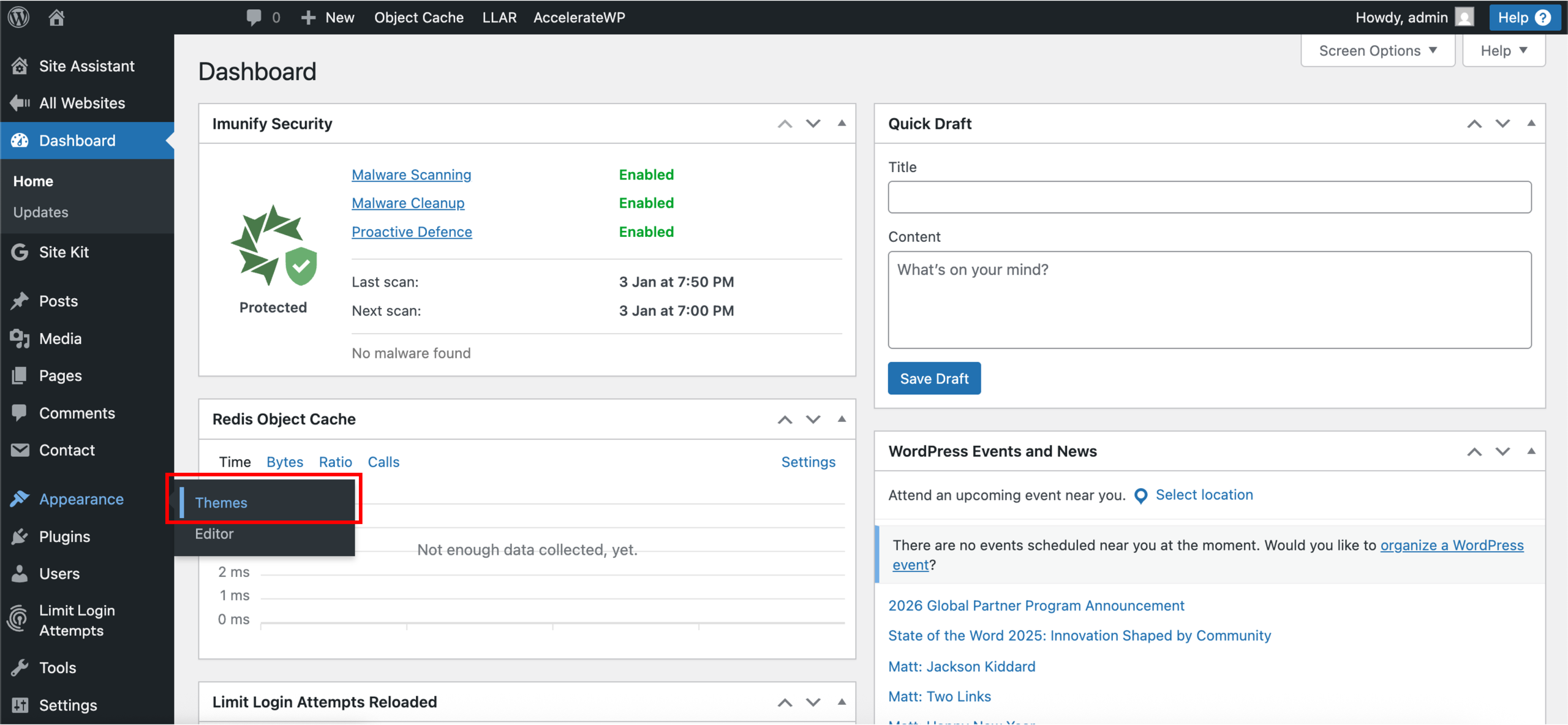
1. Upon reaching your WordPress admin dashboard, click Appearance > Themes from the left sidebar.
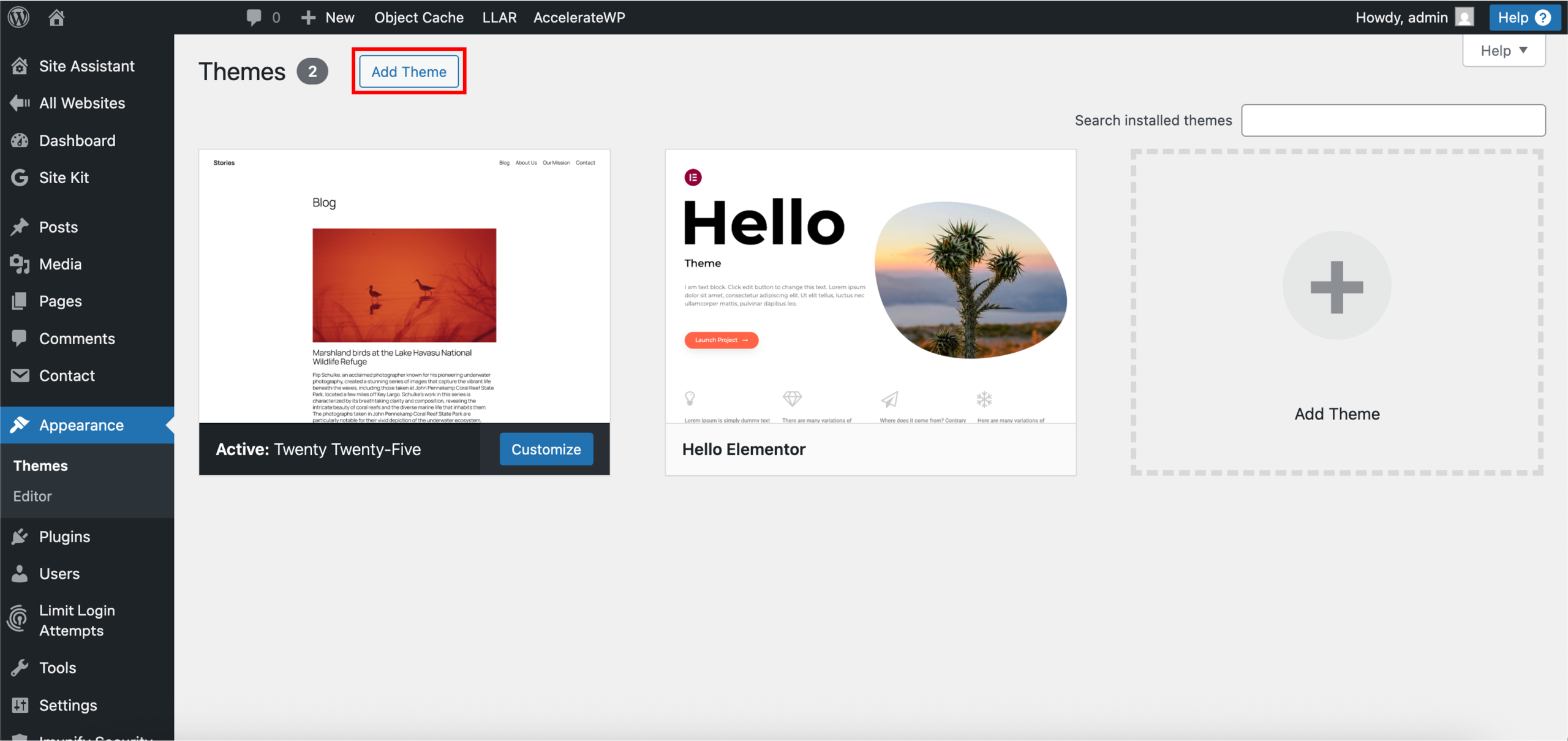
2. Click Add Theme or the plus sign [+].
3. Browse the available themes using the tabs, filters, or search bar. You can preview each theme and Install it directly from this page.
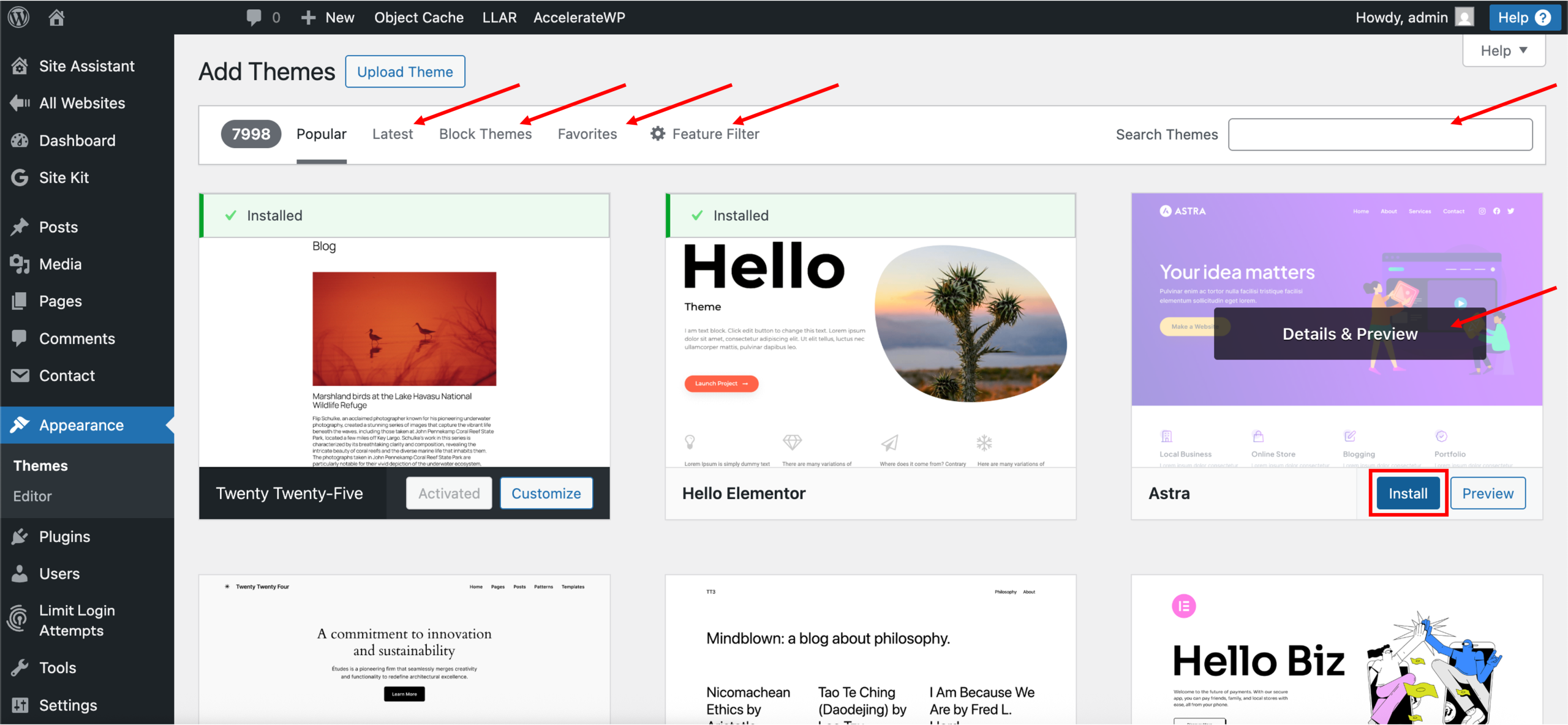
4. Done! Successfully installing the theme will look like the following, with the successfully installed prompt. To use the installed theme, hover over it and click Activate.
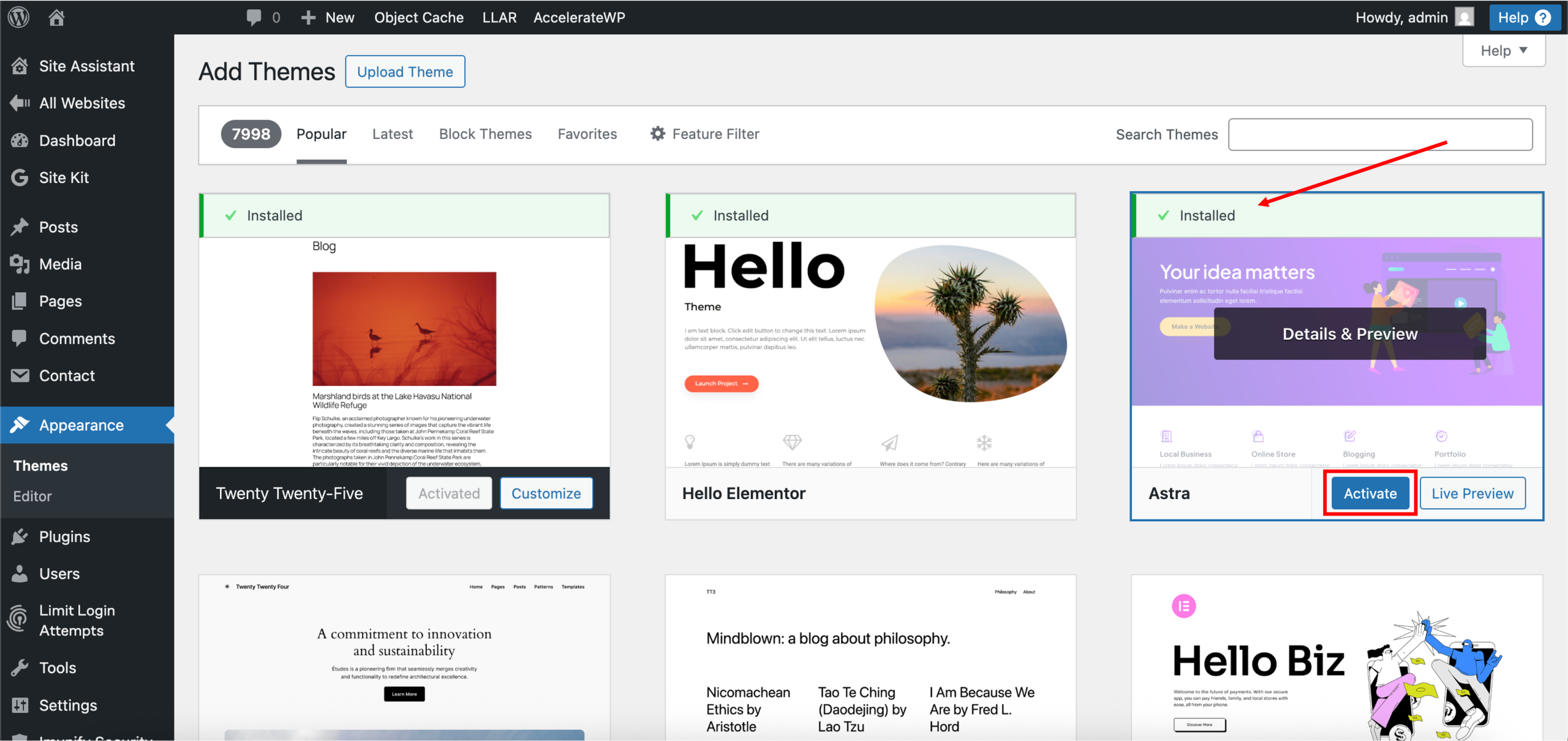
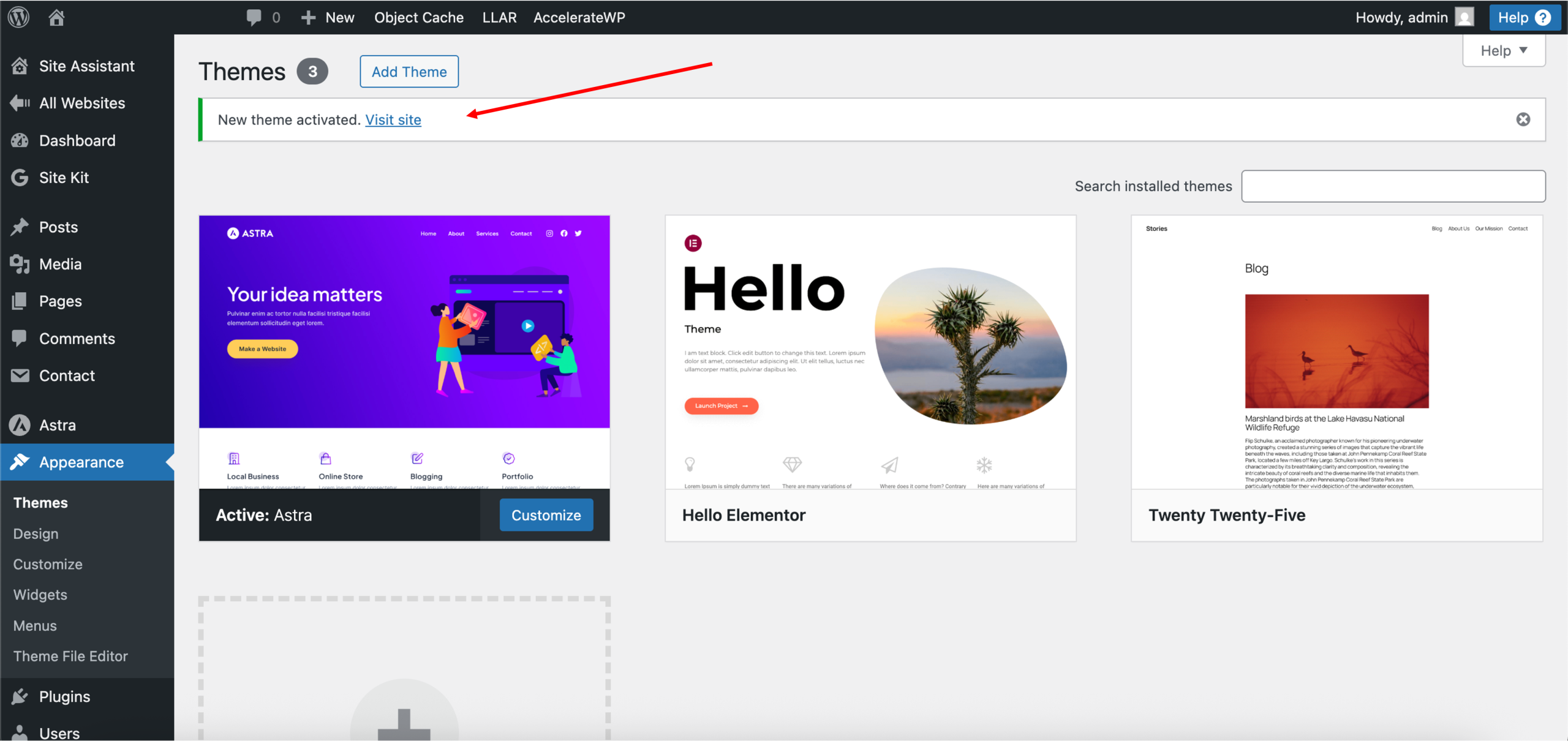
Note: WordPress.org offers many well-rated themes that are suitable for hobby or testing websites. For professional or production websites, premium (paid) themes are recommended, as they typically provide better support, customisation options, and regular security updates. Always be cautious when using free, low-rated, or nulled themes, as they may pose security risks.